






Shanghai Fangling Computer Software co., Ltd
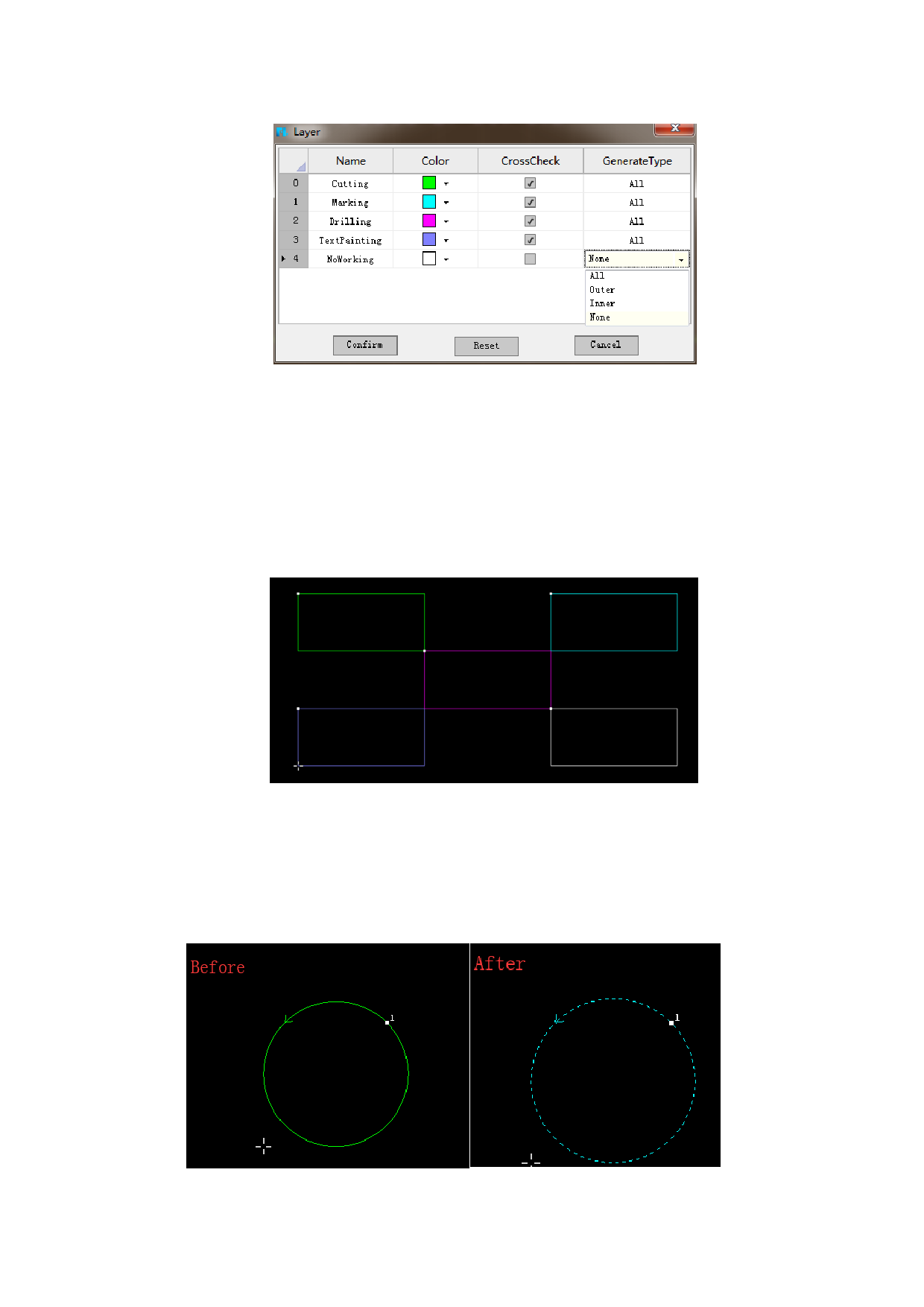
Users can drag the layer cutting order as needed. For example, the number “0”
refers to the first to cut. The number “4” means the last layer to process. And the
name of layer can be modified as needed. At the same time, users can choose the
layer need cross check or not and choose the generate type.
“All” means the outer and inner contour of the part will all be processed.
“Outer” means only the outer contour of the part will be processed. “Inner” means
only the inner contour of the part will be processed. “None” means neither the outer
and inner contour of the part will all be processed.
The different colors stand for different layers, as shown above. If you want to
change the layer of parts, choose the parts and choose the layer at the right side of
the software.
As shown below: the layer of the circle is cutting layer (green). Choose the
layer bar to change layer (Marking layer: the blue one), the layer of the circle is
changed from cutting layer to marking layer.
21






































































































