






Shanghai Fangling Computer Software co., Ltd
VIII FAQ
Q1: In WIN7 and above system, the software crashes when
opening it.
A:When installing software in WIN7 and above system, select “run as
administrator”, after successful installation, you can use it normally when you “run
as administrator”.
Q2: The question of common edge.
A: Close firstly and then common edge. Select the close function in the lower
right corner of the software interface, set parameter: 0.01, then press the keyboard up,
down, left, right keys, and then select the common edge function.
Q3: Why some buttons displayed in red?
A: The button displayed in red represents that the function of the button is not
opened. Please contact the software supplier to open.
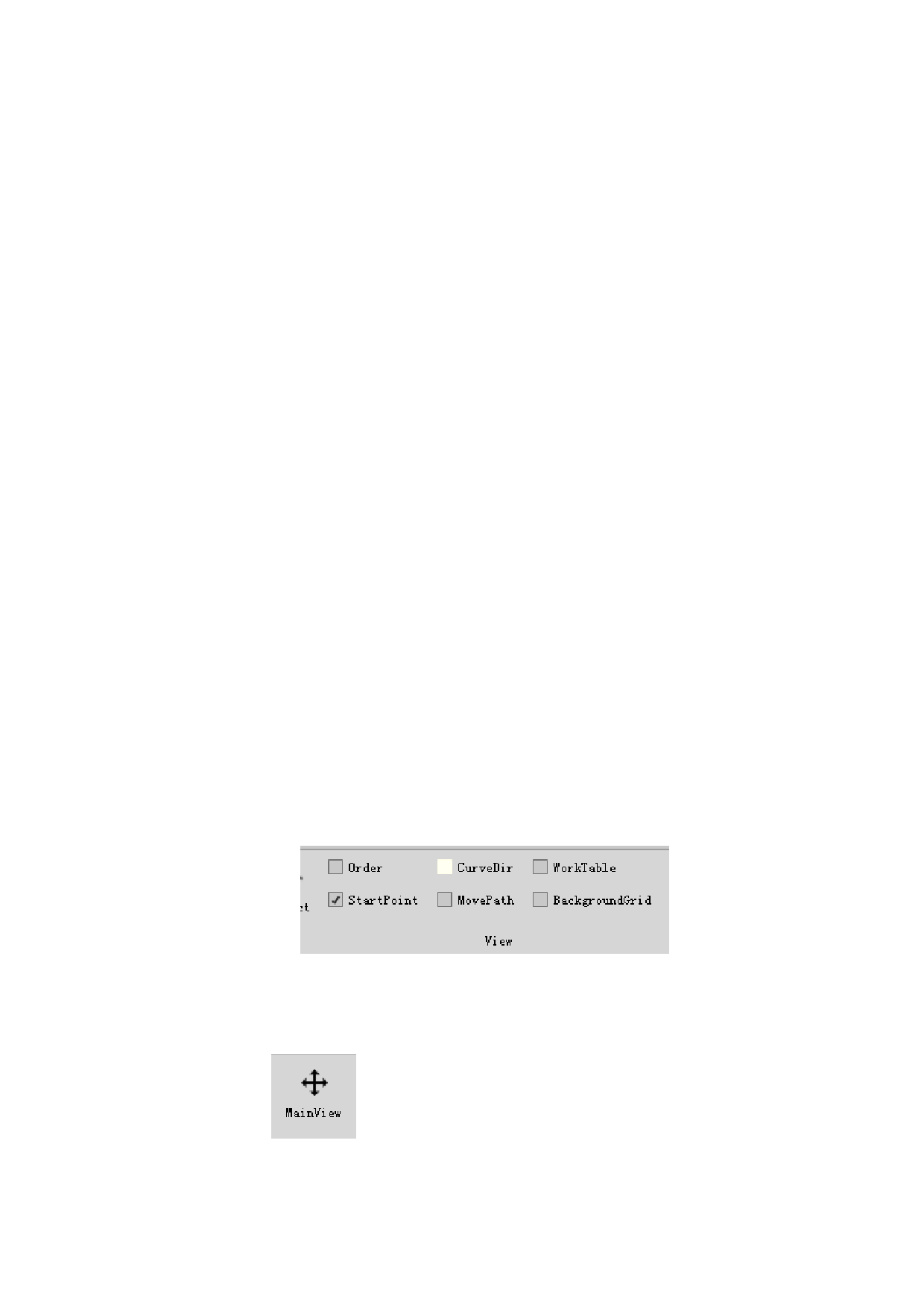
Q4: Why the imported parts did not display the curve
direction?
A: Check if the curve direction is ticked in the file menu. Please tick the
function you needed, such as “order、start point、curve direction、move path、work
table、 background”.
Q5:Why the parts miss on the interface suddenly?
A: It may be due to careless miniaturization of the part drawing. Please choose
“Main view”
to find the parts.
102






































































































