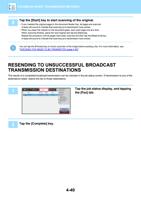
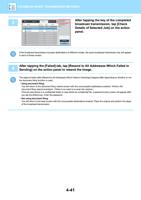
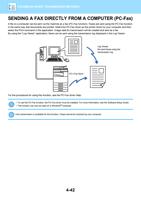
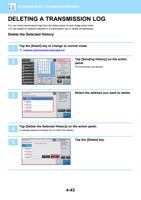
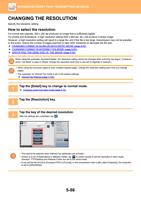
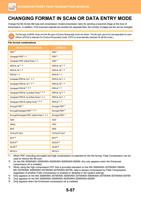
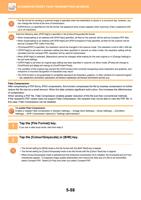
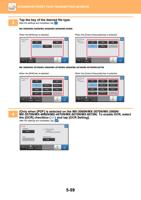
- You are here:
- AM.CO.ZABuythisCNC Utilities Homepage
- Office-Softwares
- Sharp MX Printer Manual.pdf
- Page 18 of 934
BEFORE USING THE MACHINE►BEFORE USING THE MACHINE
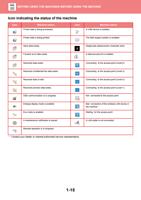
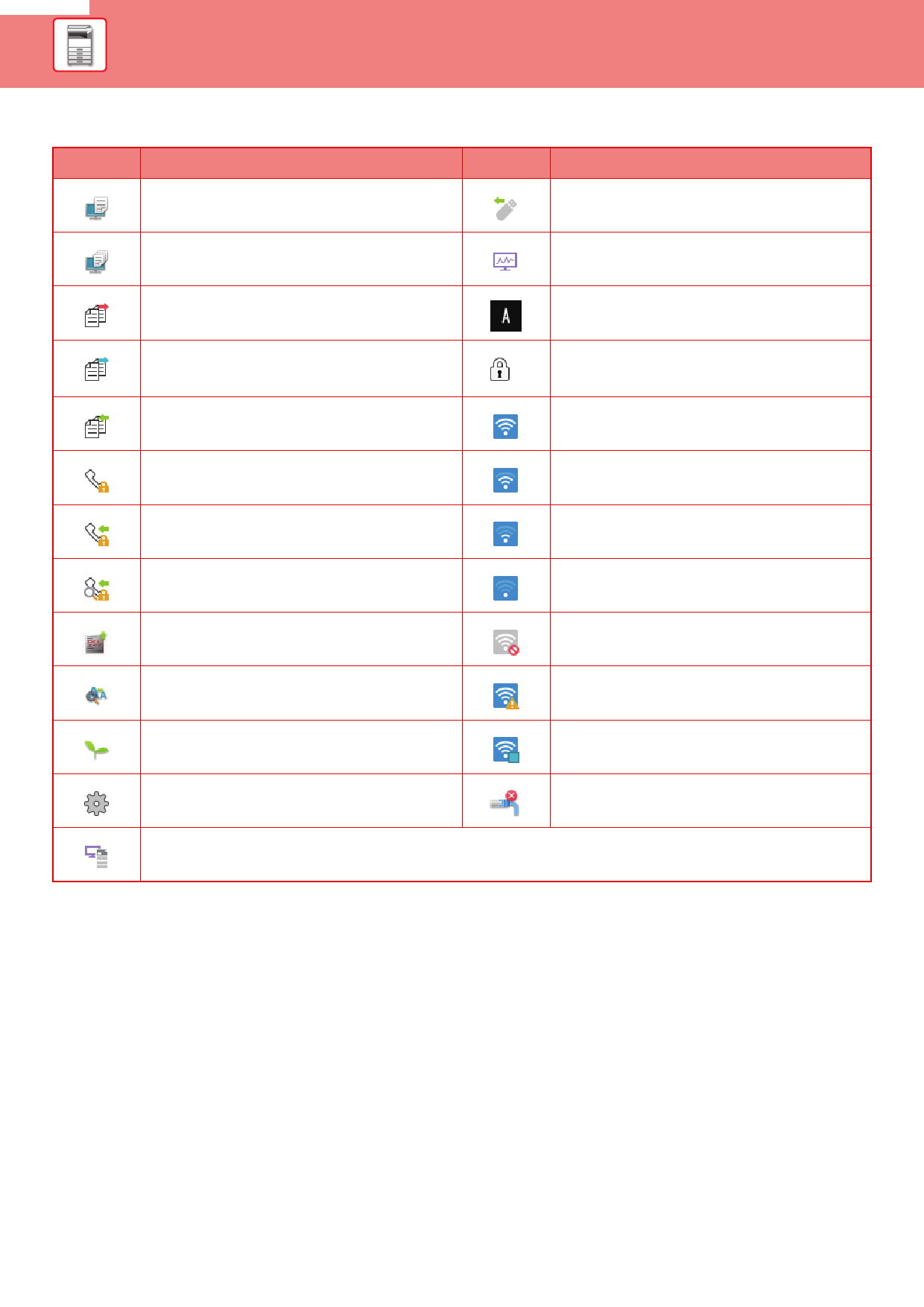
Icon indicating the status of the machine
Icon
Machine status
Printer data is being processed.
Icon
Machine status
A USB device is installed.
Printer data is being printed.
The field support system is enabled.
Send data exists.
Forward error data exists.
Single-byte alphanumeric character entry
A data security kit is installed.
Received data exists.
Received confidential fax data exists.
Connecting to the access point (Level 4)
Connecting to the access point (Level 3)
Received data is held.
Received preview data exists.
OSA communication is in progress.
Connecting to the access point (Level 2)
Connecting to the access point (Level 1)
Not connected to the access point
Enlarge display mode is enabled.
Eco mode is enabled.
A maintenance notification is issued.
Bad connection of the wireless LAN device in
the machine*
Waiting for the access point
A LAN cable is not connected.
Remote operation is in progress.
* Contact your dealer or nearest authorised service representative.
1-15