YDFLP-CL2-200-1/5-A&YDFLP-CL2-300-1/5-A User Manual
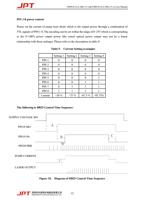
➢ A: 12 seconds System initialization time
➢ B: MO and PA signal delay time: range(8ms-35ms), recommend 8ms.
➢ C: Switching off PA should be earlier than MO or at the same time.
➢ D: Frequency sampling time under internal frequency mode, at least 1 complete frequency
period before turning on the laser (PA).
➢ E: SIMMER value. The first pulse energy can be adjusted via GUI software.
Fiber laser control system self-locking:
If fiber laser is on abnormal status (high temperature, low power supply etc.), it will stop
working to protect the whole system. Please restart the fiber laser.
Pulse Width Control
PIN2, PIN3 and PIN22 pins of DB25 control interface are not only used for basic control of
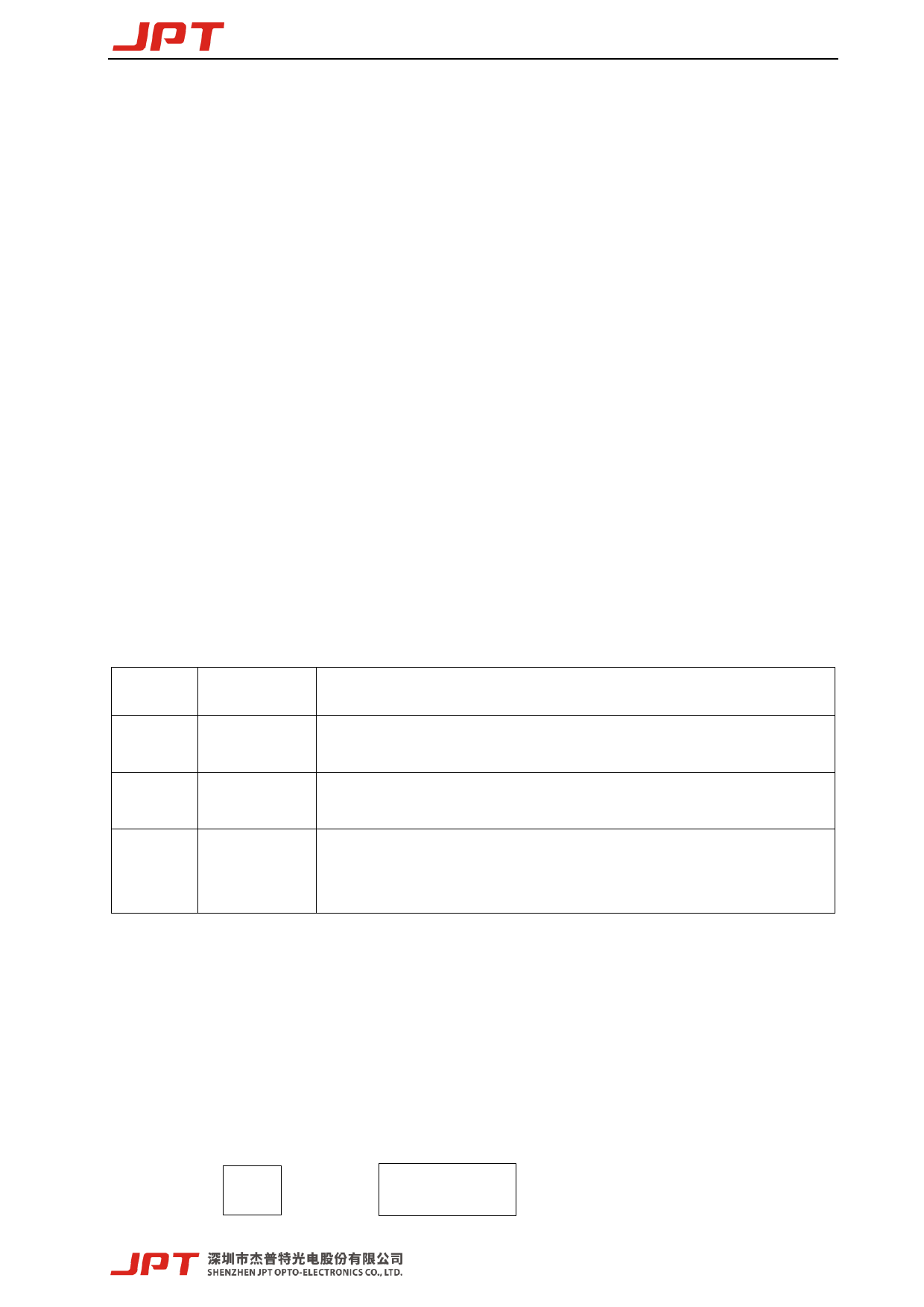
laser, but also for pulse width control. Table 10 shows the pulse width control pin and signal
description of laser.
Table 10. Pulse Width Control Pin and Signal Description of CL Series Laser
PIN. #
2
3
22
Item
Description
Serial Input
Serial Clock
Enable
When fiber laser is serial input, setting data bits synchronize with
the rising edge of serial clock.
Serial digital clock, 8kHz≦Clock Frequency≦10kHz, 10KHZ is
recommended.
Pulse width control function:
High: Enable, Pin2 and Pin3 to control the pulse width
Low or Not connection: Disable
1) Pulse Width Control Instruction Structure
➢ Send instruction to Pin2 of DB25 connector and send clock signal to Pin3 at the same
time. The instruction description will be transmitted in binary form, with its most significant
bit transmitted first.
➢ The instruction structure transmitted by the user to the laser is as follows:
0xA
Instruction
5
Code
13