Hikrobot Machine Vision Software User Manual
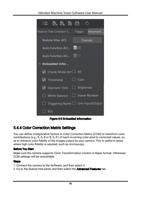
5.3.3 Encoder Control
For line scan cameras, if the trigger mode is set to line trigger, you can configure the
encoder signal sources for triggering.
Encoder Selector
Select an encoder.
Encoder Source A/B
Set the signal source A and B respectively for the encoder.
Note
It is recommended that you select different sources for A and B. If they are set to the
same source, the shaft encoder will not output signal.
Encoder Trigger Mode
Select the triggering direction of the signal sources from Any Direction, Forward Only,
and Backward Only.
Encoder Counter Mode
Select a counting mode for the counter of the encoder from Ignore Direction, Follow
Direction, and Backward Direction.
Encoder Counter
(Read Only) Displays the number of triggered signals counted by the encoder counter in
real time.
Encoder Counter Max
Set the maximum value allowed for the encoder counter.
When the value displayed by Encoder Counter reaches the set maximum value during
counting, Encoder Counter will be automatically cleared when the next valid signal is
received, and the counting will start again.Encoder Counter can also be cleared manually
via Encoder Counter Reset.
Encoder Counter Reset
Click Execute to reset Encoder Counter to 0.
Encoder Max Reverse Counter
Set the maximum value allowed for the reverse counter of the encoder to allow the
camera to not output images until the object returns to the starting position in the
forward direction.
Encoder Reverse Counter Reset
Click Execute to reset the count of the reverse counter to 0.
65