Hikrobot Machine Vision Software User Manual
Exposure Auto, Gain Auto, etc.), ISP, and transport layer control.
5.2.1 Basic Features
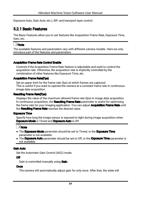
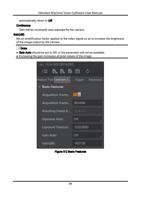
The Basic Features allow you to set features like Acquisition Frame Rate, Exposure Time,
Gain, etc.
Note
The available features and parameters vary with different camera models. Here we only
introduce part of the features and parameters.
Acquisition Frame Rate Control Enable
Controls if the Acquisition Frame Rate feature is adjustable and used to control the
acquisition rate. Otherwise, the acquisition rate is implicitly controlled by the
combination of other features like Exposure Time, etc.
Acquisition Frame Rate(Fps)
Set an upper limit for the frame rate (fps) at which frames are captured.
This is useful if you want to operate the camera at a constant frame rate in continuous
image data acquisition.
Resulting Frame Rate(Fps)
Displays the value of the maximum allowed frame rate (fps) in image data acquisition.
In continuous acquisition, the Resulting Frame Rate parameter is useful for optimizing
the frame rate for your imaging application. You can adjust Acquisition Frame Rate until
the Resulting Frame Rate reaches the desired value.
Exposure Time
Specify how long the image sensor is exposed to light during image acquisition when
Exposure Mode is Timed and Exposure Auto is Off.
Note
● The Exposure Mode parameter should be set to Timed, or the Exposure Time
parameter is not available.
● The Exposure Auto parameter should be set to Off, or the Exposure Time parameter is
not available.
Gain Auto
Set the Automatic Gain Control (AGC) mode.
Off
Gain is controlled manually using Gain.
Once
The camera will automatically adjust gain for only once. After that, the state will
54