Hikrobot Machine Vision Software User Manual
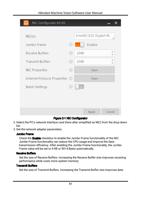
transmission performance while costs more system memory.
NIC Properties
Click Open to open the properties window of the selected NIC.
Internal Protocol Properties
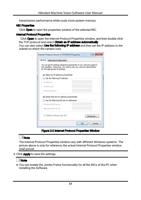
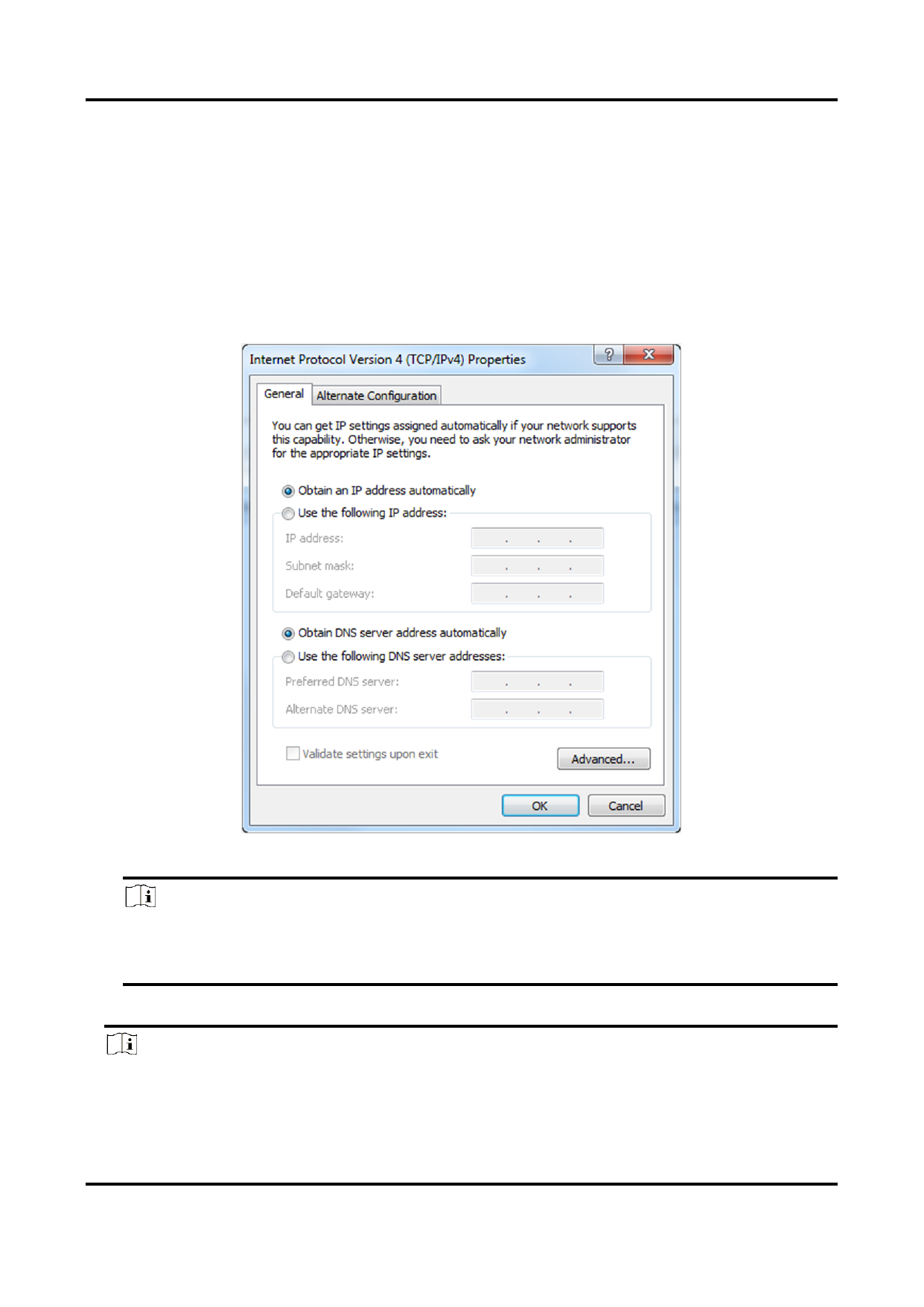
Click Open to open the Internet Protocol Properties window, and then double-click
the TCP protocol and select Obtain an IP address automatically.
You can also select Use the following IP address and then set the IP address to the
subnet on which the camera runs.
Figure 2-2 Internet Protocol Properties Window
Note
The Internet Protocol Properties window vary with different Windows systems. The
picture above is only for reference, the actual Internet Protocol Properties window
shall prevail.
4. Click Apply to save the settings.
Note
● You can enable the Jumbo Frame functionality for all the NICs of the PC when
installing the Software.
12