Machine Calibration
Machine calibration
Left/right Calibration
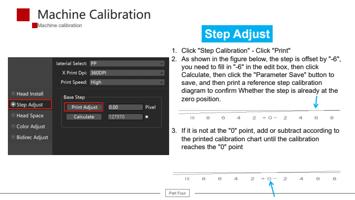
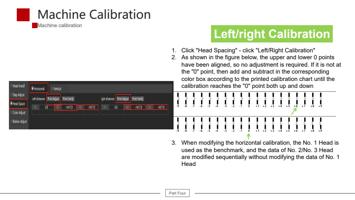
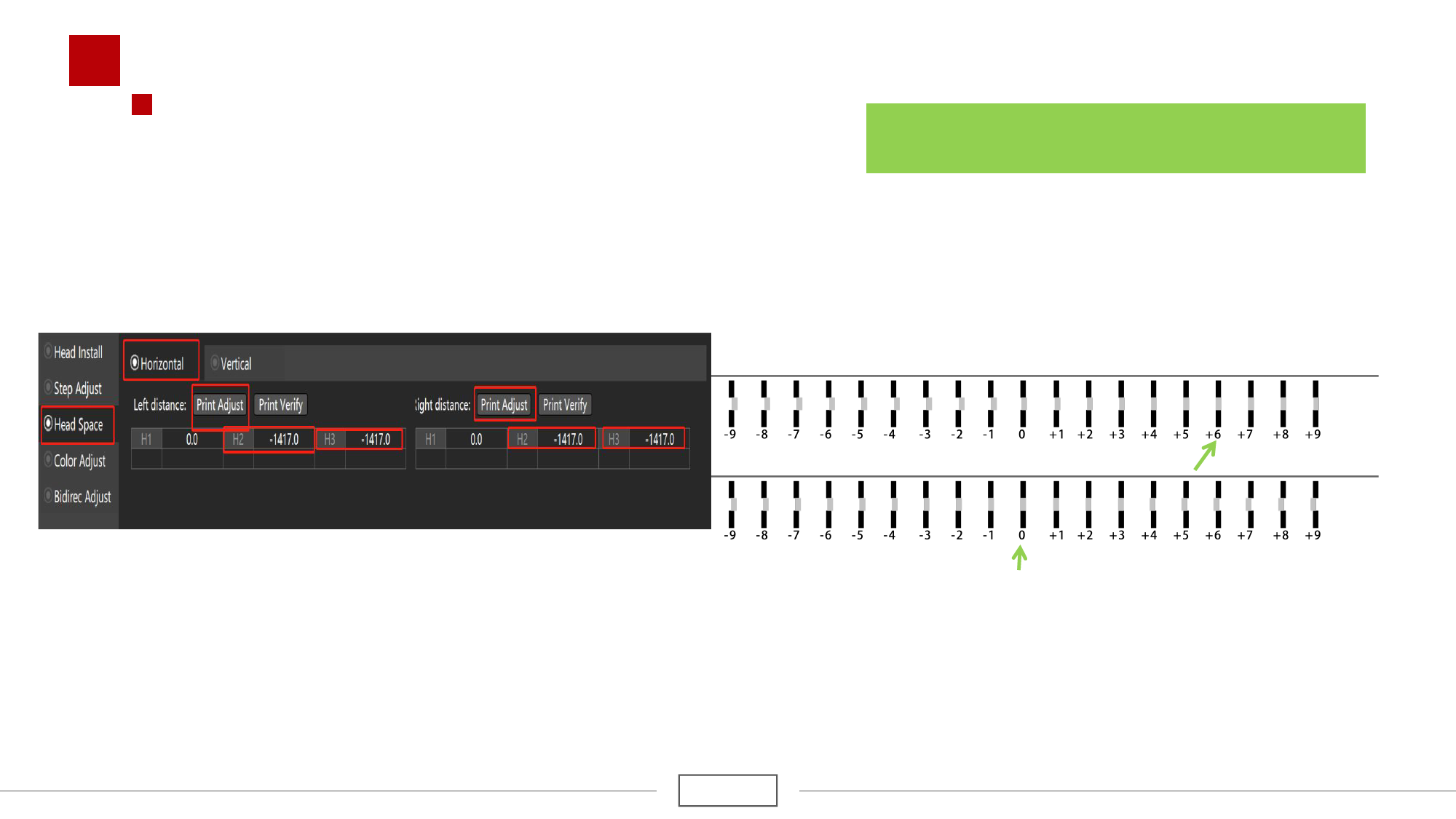
1. Click "Head Spacing" - click "Left/Right Calibration"
2. As shown in the figure below, the upper and lower 0 points
have been aligned, so no adjustment is required. If it is not at
the "0" point, then add and subtract in the corresponding
color box according to the printed calibration chart until the
calibration reaches the "0" point both up and down
3. When modifying the horizontal calibration, the No. 1 Head is
used as the benchmark, and the data of No. 2/No. 3 Head
are modified sequentially without modifying the data of No. 1
Head
Part Four