Software Use
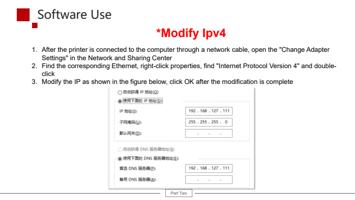
*Modify Ipv4
1. After the printer is connected to the computer through a network cable, open the "Change Adapter
Settings" in the Network and Sharing Center
2. Find the corresponding Ethernet, right-click properties, find "Internet Protocol Version 4" and double-
click
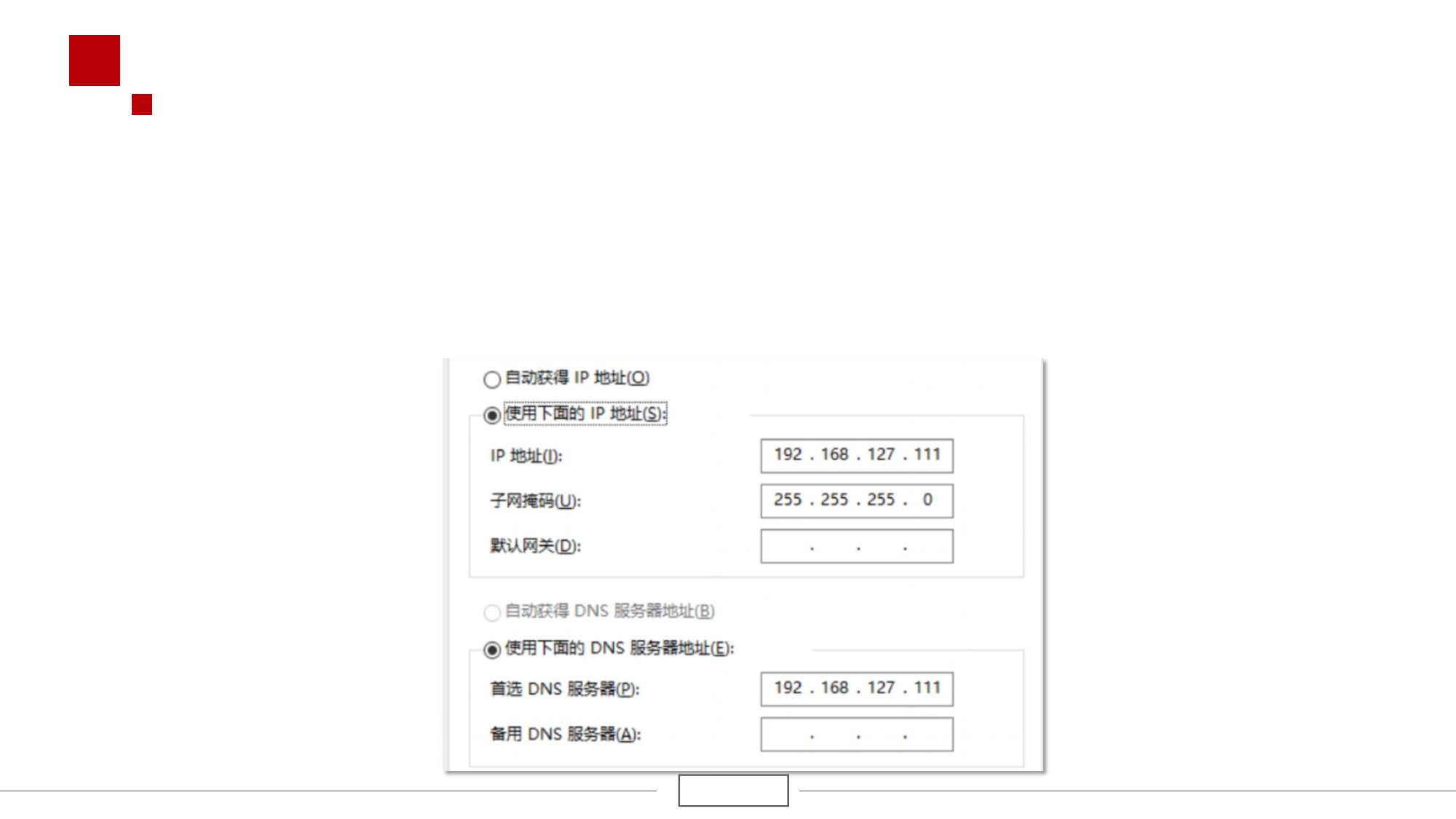
3. Modify the IP as shown in the figure below, click OK after the modification is complete
Part Two