Software Use
Part Two
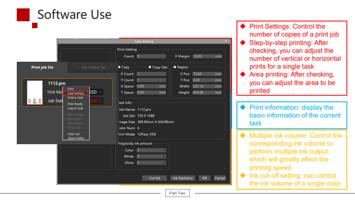
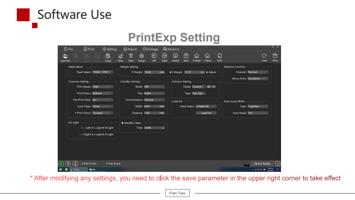
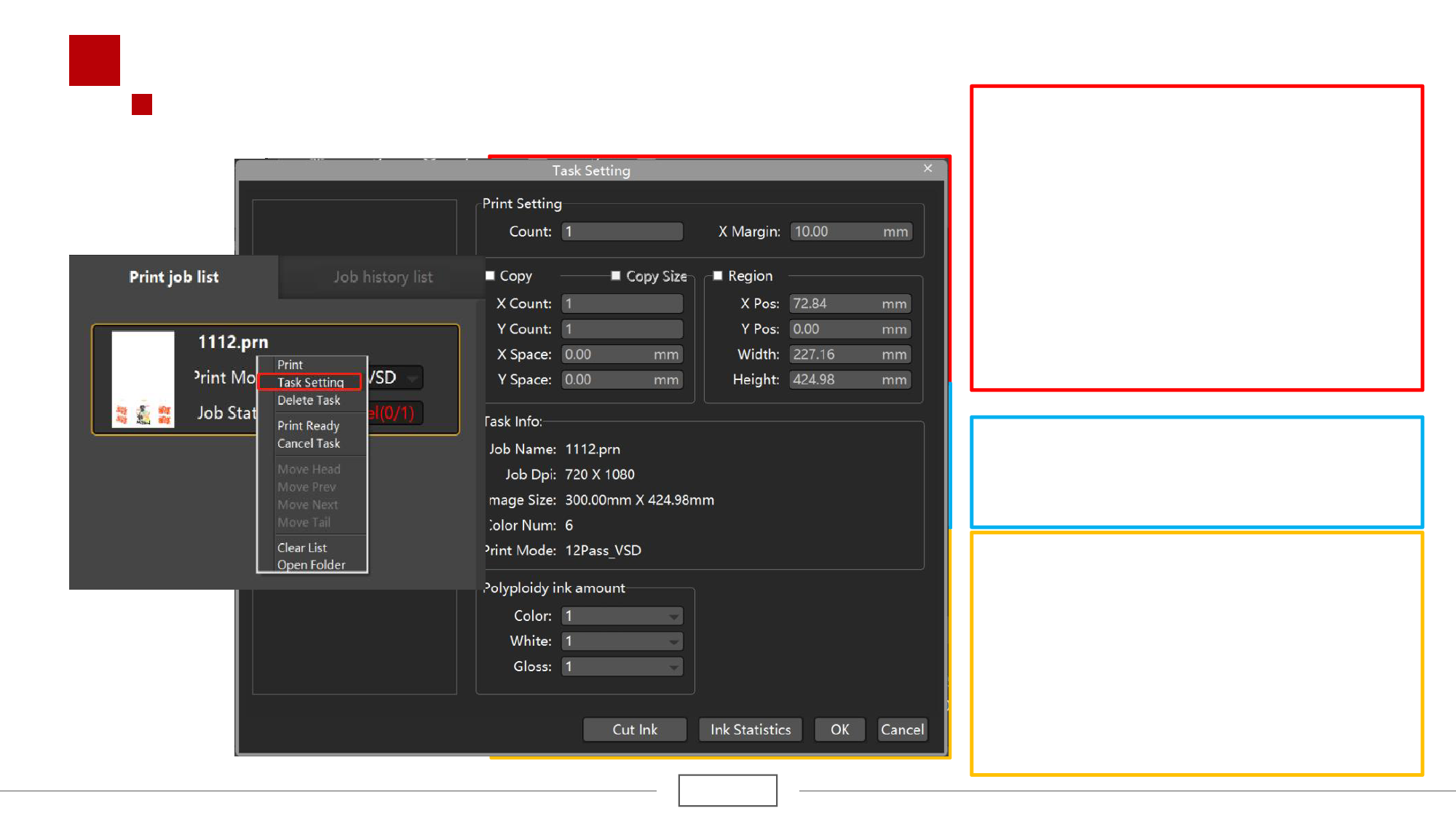
u Print Settings: Control the
number of copies of a print job
u Step-by-step printing: After
checking, you can adjust the
number of vertical or horizontal
prints for a single task
u Area printing: After checking,
you can adjust the area to be
printed
u Print information: display the
basic information of the current
task
u Multiple ink volume: Control the
corresponding ink volume to
perform multiple ink output,
which will greatly affect the
printing speed
u Ink cut-off setting: can control
the ink volume of a single color