Machine Calibration
Machine calibration
Step Adjust
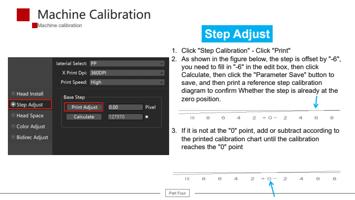
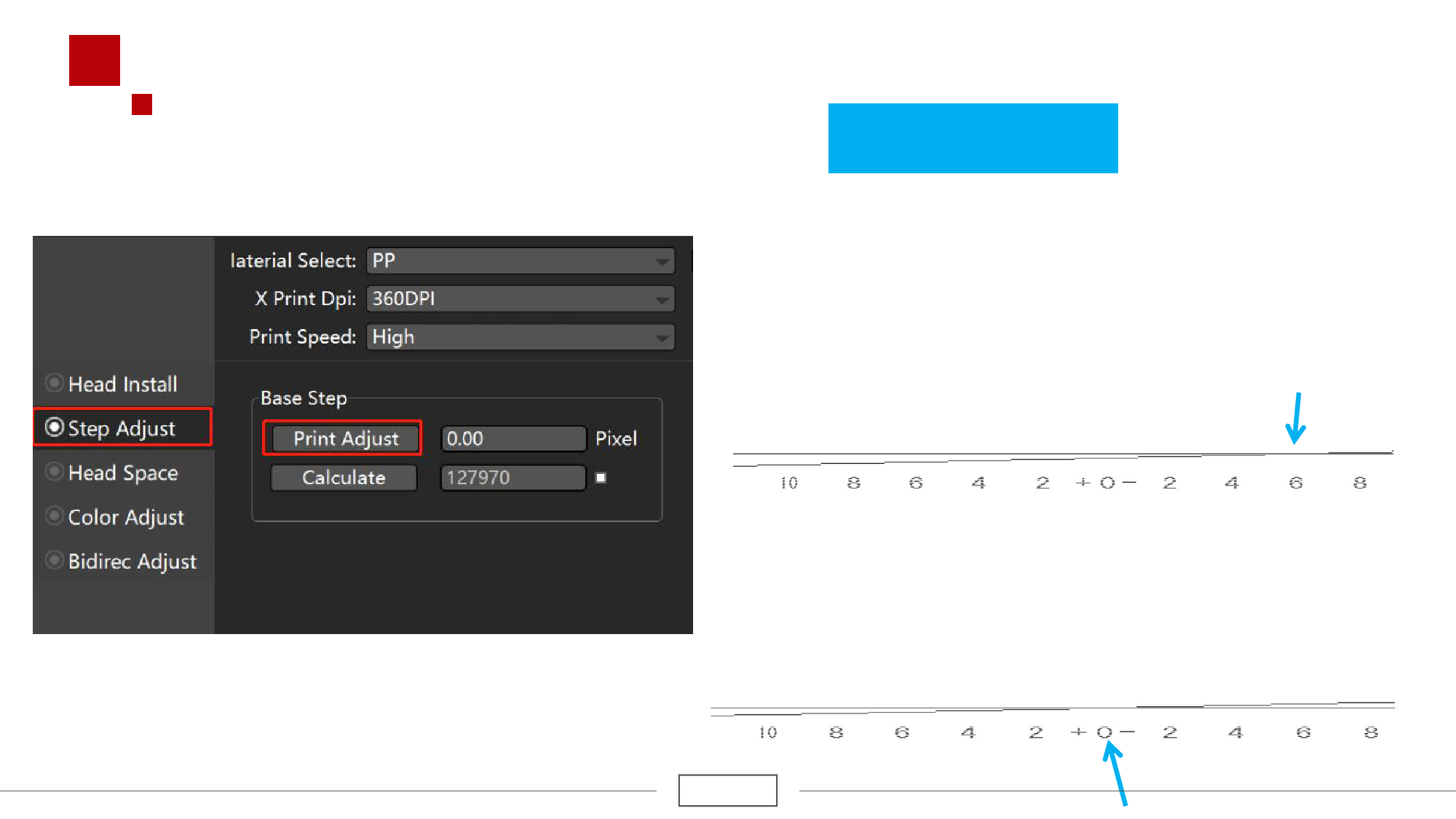
1. Click "Step Calibration" - Click "Print"
2. As shown in the figure below, the step is offset by "-6",
you need to fill in "-6" in the edit box, then click
Calculate, then click the "Parameter Save" button to
save, and then print a reference step calibration
diagram to confirm Whether the step is already at the
zero position.
3. If it is not at the "0" point, add or subtract according to
the printed calibration chart until the calibration
reaches the "0" point
Part Four