Machine Calibration
Machine calibration
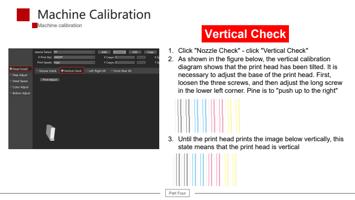
Vertical Check
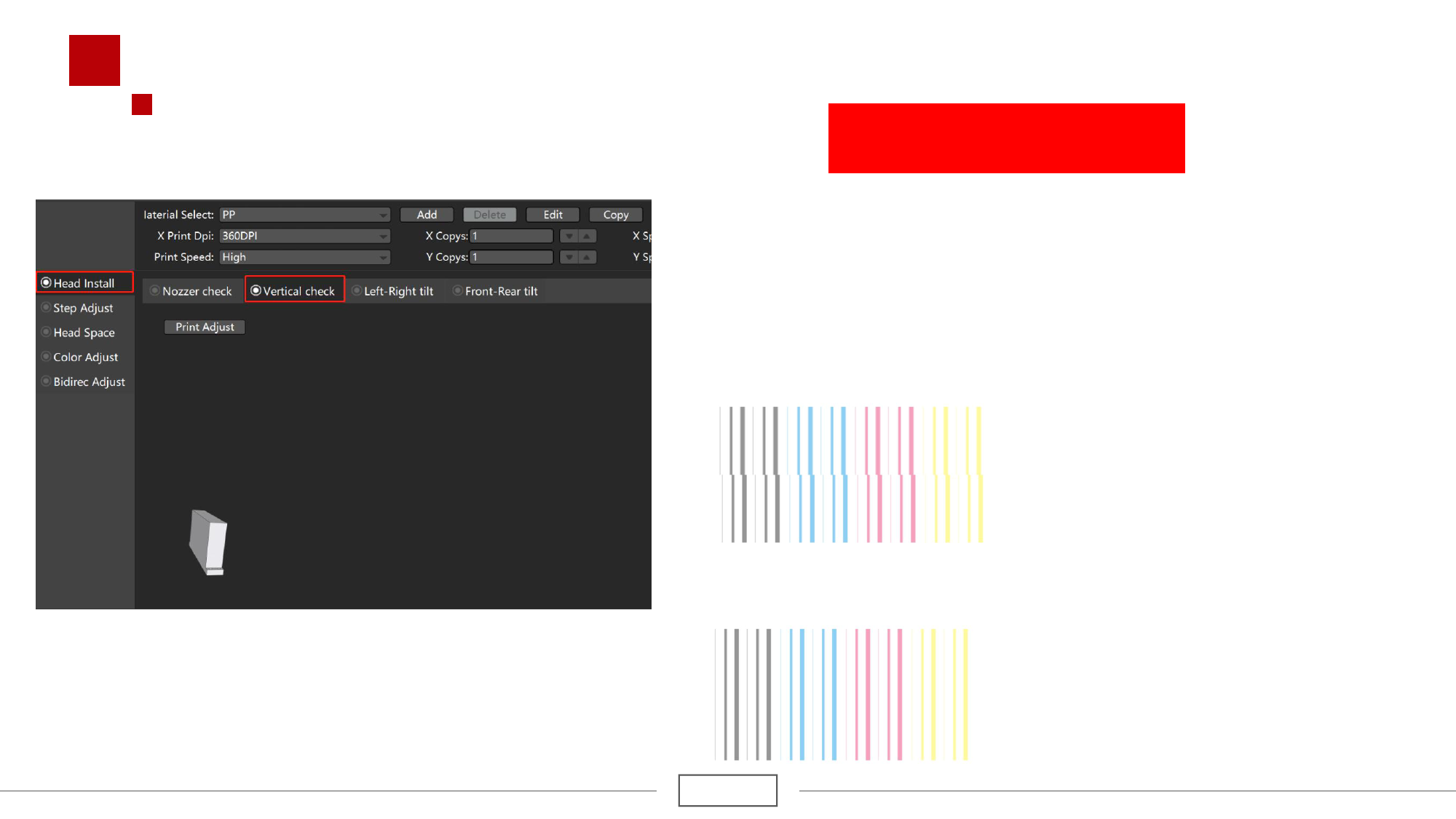
1. Click "Nozzle Check" - click "Vertical Check"
2. As shown in the figure below, the vertical calibration
diagram shows that the print head has been tilted. It is
necessary to adjust the base of the print head. First,
loosen the three screws, and then adjust the long screw
in the lower left corner. Pine is to "push up to the right"
3. Until the print head prints the image below vertically, this
state means that the print head is vertical
Part Four