- You are here:
- AM.CO.ZABuythisCNC Utilities Homepage
- GoPrinter-Portable-Printer
- Component Manuals
- T-H说明书英文.pdf
- Page 9 of 14
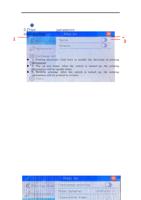
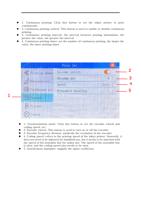
1. Continuous printing: Click this button to set the inkjet printer to print
continuously
2. Continuous printing control: This button is used to enable or disable continuous
printing
3. Continuous printing interval: the interval between printing information, the
greater the value, the greater the interval
4. Continuous printing times: set the number of continuous printing, the larger the
value, the more printing times
2
3
4
5
1
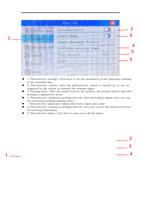
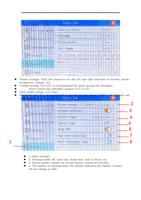
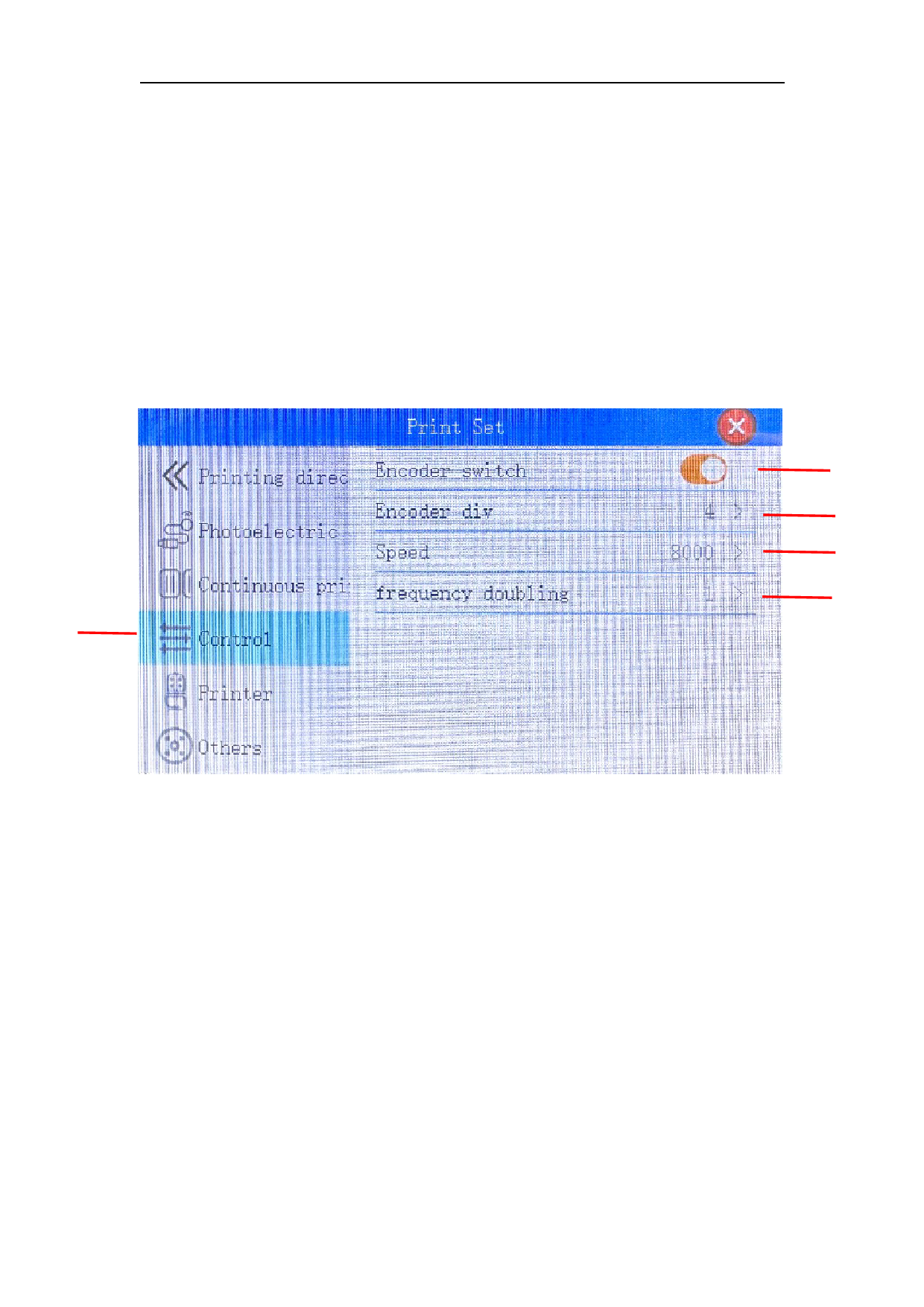
1. Synchronization mode: Click this button to set the encoder switch and
coding speed, etc.
2. Encoder switch: This button is used to turn on or off the encoder
3. Encoder frequency division: subdivide the resolution of the encoder
4. Coding speed: refers to the printing speed of the inkjet printer. Generally, it
does not need to be adjusted for handheld use, but it needs to be matched with
the speed of the assembly line for online use. The speed of the assembly line
is slow, and the coding speed also needs to be slow.
5. Synchronous multiplier: magnify the inkjet coefficient