- You are here:
- AM.CO.ZABuythisCNC Utilities Homepage
- GoPrinter-Portable-Printer
- Component Manuals
- T-H说明书英文.pdf
- Page 5 of 14
T-H series inkjet machine
instruction manual
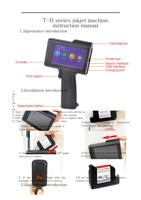
1.Appearance introduction
二、
三、
四、
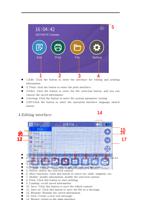
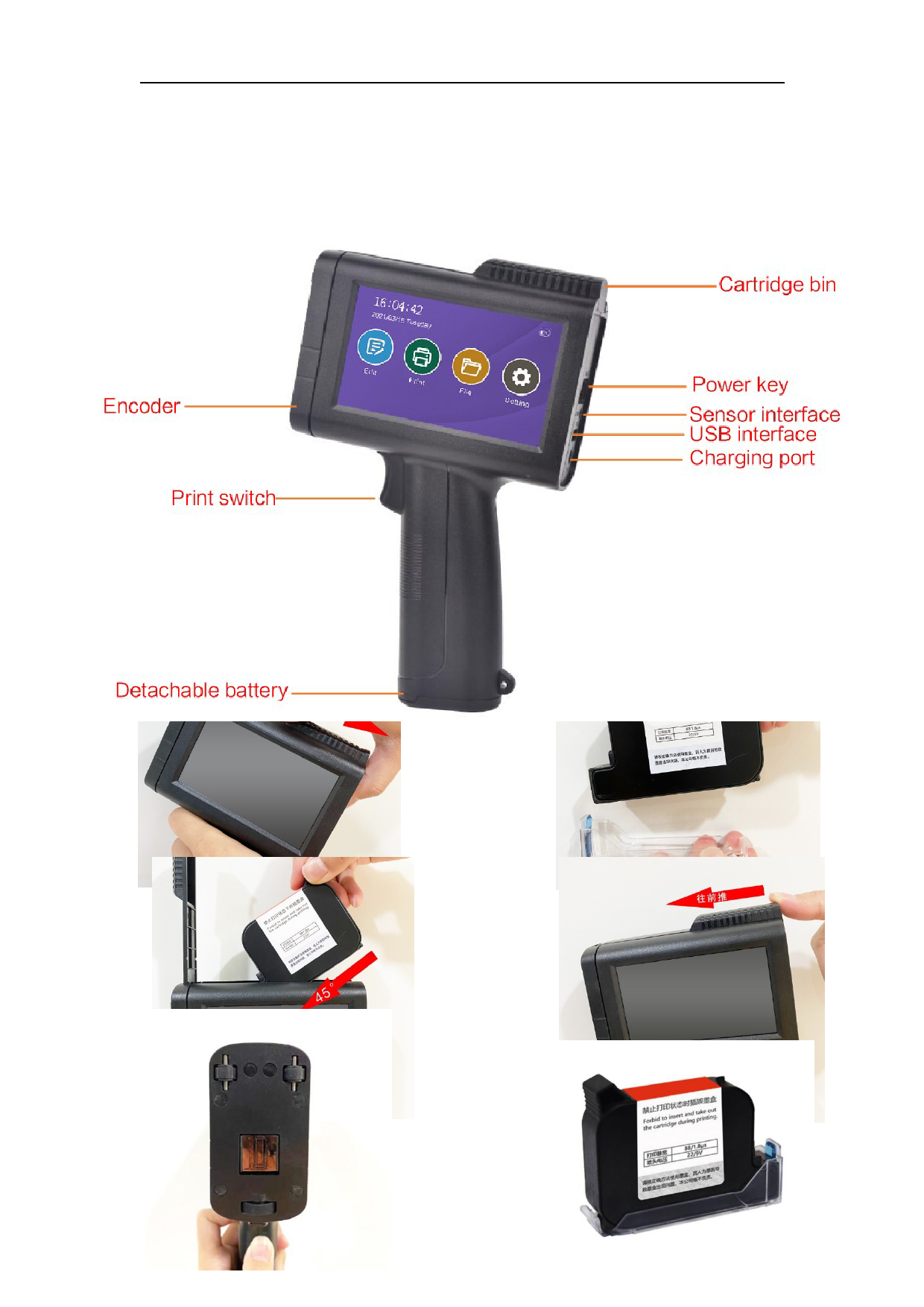
1. Enco2d.eIrn: sDtraivlelatthieoinnkjienttprroindteurcttoioprnint out characters, so that the printed
information is uniform and does not deform
2. Print switch: trigger the print command, press once to print once
3. Detachable battery; use detachable battery, the battery can be taken out after
the cover is pushed open
4. Ink cartridge compartment: Push down along the direction of the indication
pattern to open the ink compartment and install the ink cartridge
5. Switch button: This button can turn on or turn off the power
6. Sensor interface: can be connected to the sensor
7.USB interface: U disk can be connected to import data
8. Charging hole: used to charge the printer
2.Open the transparent
1.Open the ink tank cover, push it
cover of the ink cartridge
back in parallel to open
五、
六、
protective
3. Put it into the ink tank at a 45° angle
and press it down
4.Put the cover on and push it down
to lock
5. If the nozzle is flush with the
fuselage, the installation is correct
3.Main menu introduction
6.If not used for more than 20 minutes,
remove the cover