- You are here:
- AM.CO.ZABuythisCNC Utilities Homepage
- GoPrinter-Portable-Printer
- Component Manuals
- T-H说明书英文.pdf
- Page 8 of 14
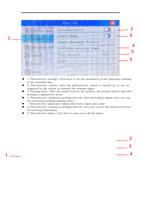
2
1
6
4
5
3
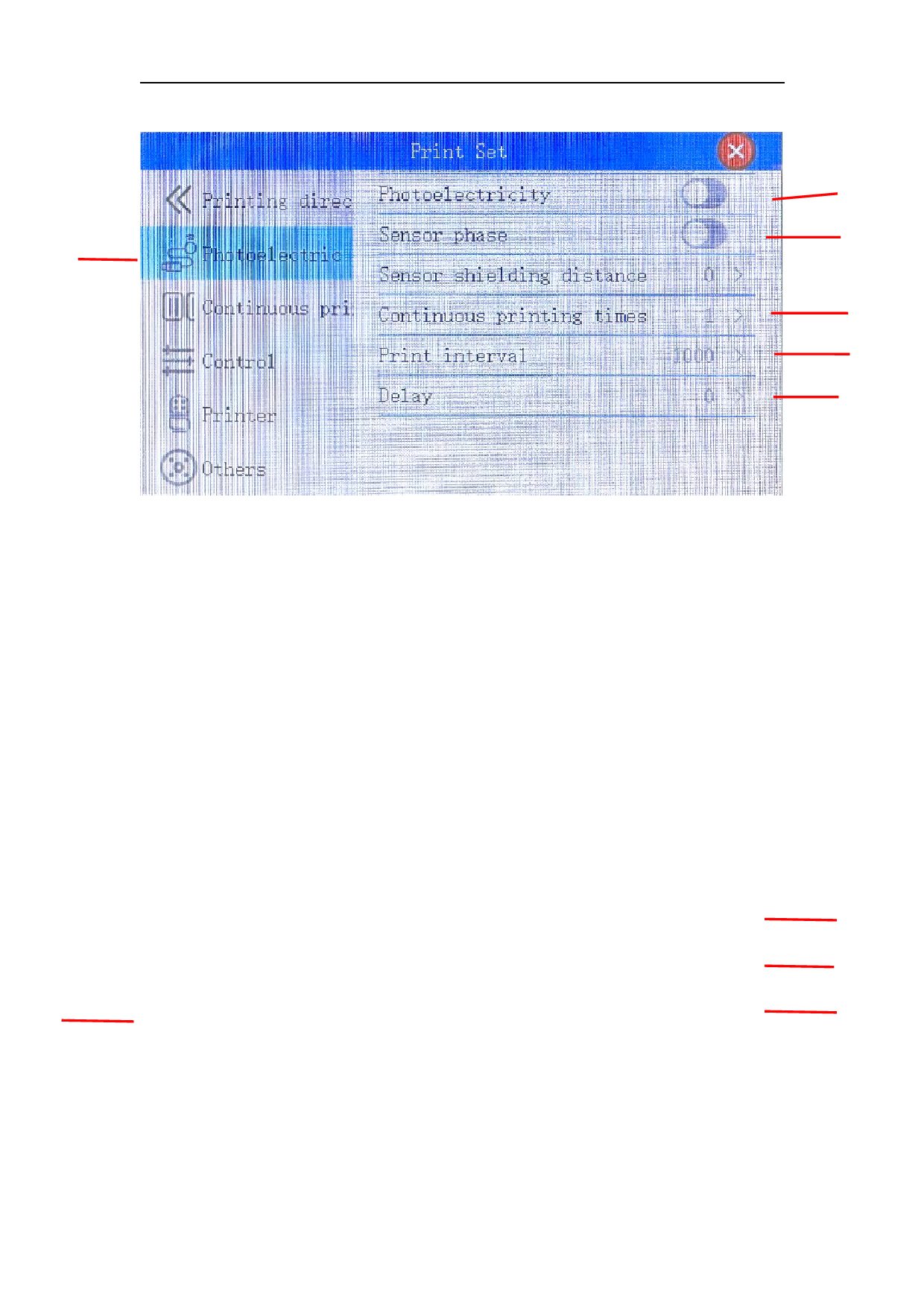
1. Photoelectric settings: Click here to set the parameters of the automatic printing
of the assembly line
2. Photoelectric switch: After the photoelectric switch is turned on, it can be
triggered by the sensor to transmit the printing signal
3. Printing delay: After the sensor detects the product, the position before and after
printing is adjusted by delay
4. Photoelectric continuous printing interval: after detecting a signal, here you can
set continuous printing multiple times
Photoelectric signal unit: millisecond Pulse signal unit: point
5. Photoelectric continuous printing interval: here you can set the interval between
two printing information
6. Photoelectric phase: Click here to turn on or off the phase
2
3
1
4