Shenzhen RelFar Intelligent Technology Co., Ltd.
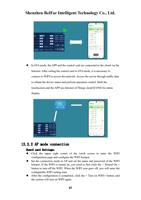
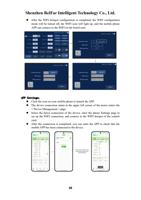
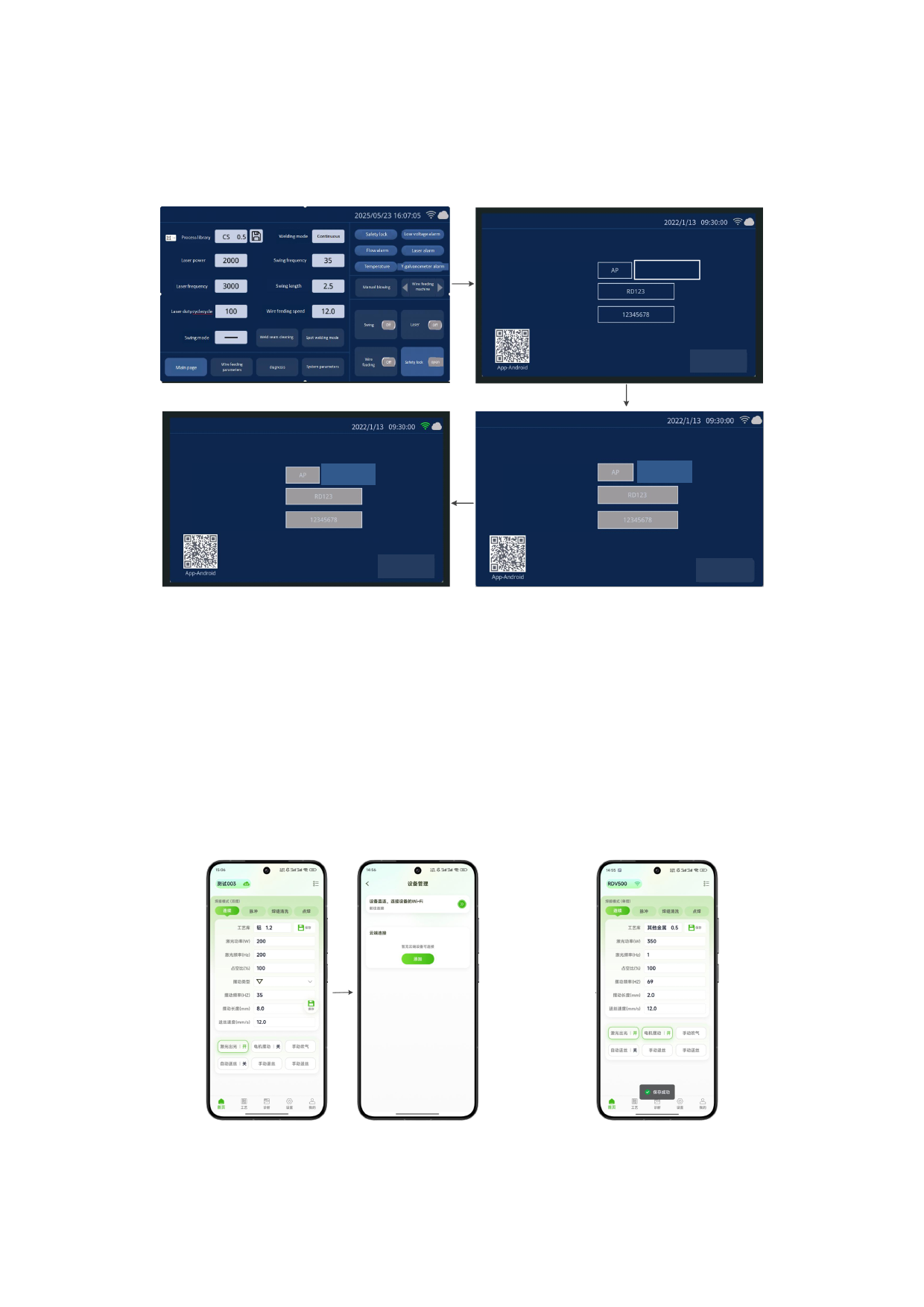
After the WIFI hotspot configuration is completed, the WIFI configuration
mode will be turned off, the WIFI icon will light up, and the mobile phone
APP can connect to the WIFI on the board card.
Connection mode:
WiFi name:
WiFi password:
Turn on WiFi
Return
Connection mode:
WiFi name:
WiFi password:
Opened
Return
Connection mode:
WiFi name:
WiFi password:
Opened
Return
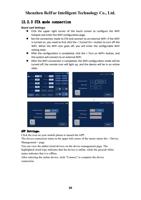
APP Settings:
Click the icon on your mobile phone to launch the APP.
The device connection status in the upper left corner of the motor enters the
< Device Management > page.
Select the direct connection of the device, enter the phone Settings page to
set up the WIFI connection, and connect to the WIFI hotspot of the control
card.
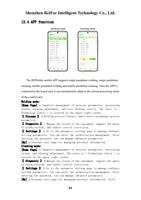
After the connection is completed, you can enter the APP to check that the
mobile APP has been connected to the device.
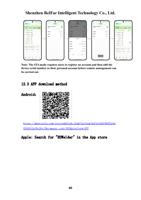
Connect your mobile phone
to the WiFi hotspot set on
the control card
38