Shenzhen RelFar Intelligent Technology Co., Ltd.
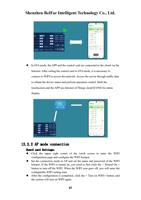
12.2.3 STA mode connection
Board card Settings:
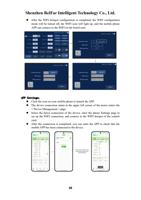
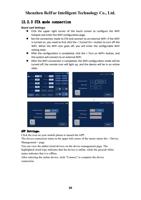
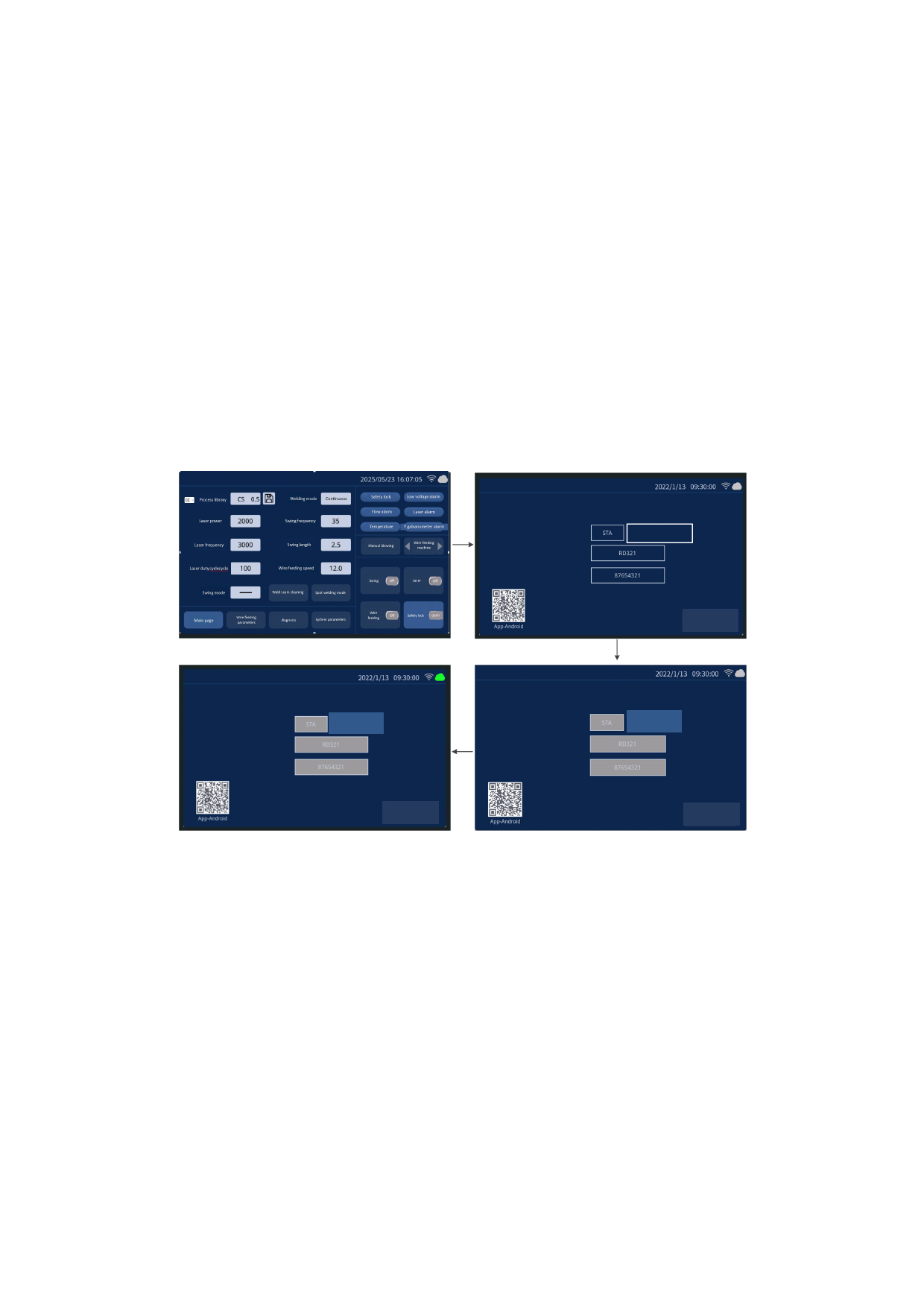
Click the upper right corner of the touch screen to configure the WIFI
hotspot and enter the WIFI configuration page.
Set the connection mode to STA and connect to an external WIFI. If the WIFI
is turned on, you need to first click the < Turned On > button to turn off the
WIFI. When the WIFI icon goes off, you will enter the configurable WIFI
setting state.
After the configuration is completed, click the < Turn on WIFI> button, and
the system will connect to an external WIFI.
After the WIFI connection is completed, the WIFI configuration mode will be
turned off, the remote icon will light up, and the device will be in an online
state.
Connection mode:
WiFi name:
WiFi password:
Turn on WiFi
Return
Connection mode:
WiFi name:
WiFi password:
Opened
Connection mode:
WiFi name:
WiFi password:
Opened
Return
Return
APP Settings:
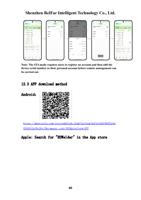
Click the icon on your mobile phone to launch the APP.
The device connection status in the upper left corner of the motor enters the < Device
Management > page.
You can view the added cloud devices on the device management page. The
highlighted cloud logo indicates that the device is online, while the grayish-white
status indicates that it is offline.
After selecting the online device, click "Connect" to complete the device
connection.
39