Shenzhen RelFar Intelligent Technology Co., Ltd.
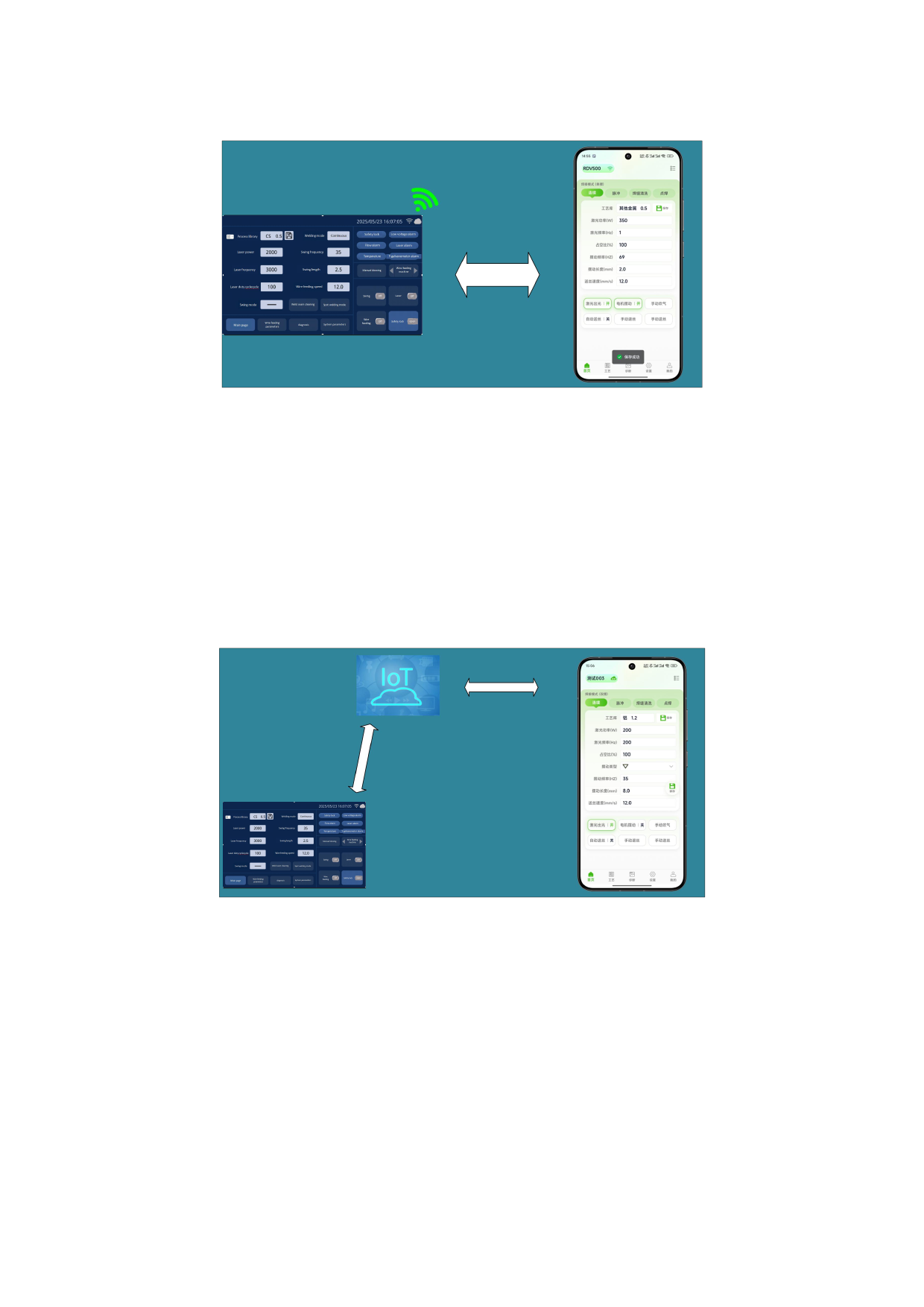
In STA mode, the APP and the control card are connected to the cloud via the
Internet. After setting the control card to STA mode, it is necessary to
connect to WIFI to access the network. Access the server through traffic data
to obtain the device status and perform operation control. Both the
touchscreen and the APP use Internet of Things cloud ICONS for status
display.
12.2.2 AP mode connection
Board card Settings:
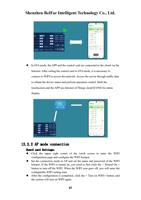
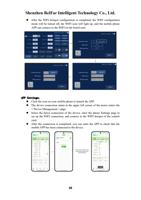
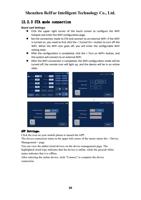
Click the upper right corner of the touch screen to enter the WIFI
configuration page and configure the WIFI hotspot.
Set the connection mode to AP and set the name and password of the WIFI
hotspot. If the WIFI is turned on, you need to first click the < Turned On >
button to turn off the WIFI. When the WIFI icon goes off, you will enter the
configurable WIFI setting state.
After the configuration is completed, click the < Turn on WIFI> button, and
the system will turn on WIFI again.
37