User Manual of Machine Vision Camera SDK Plugin (Sherlock)
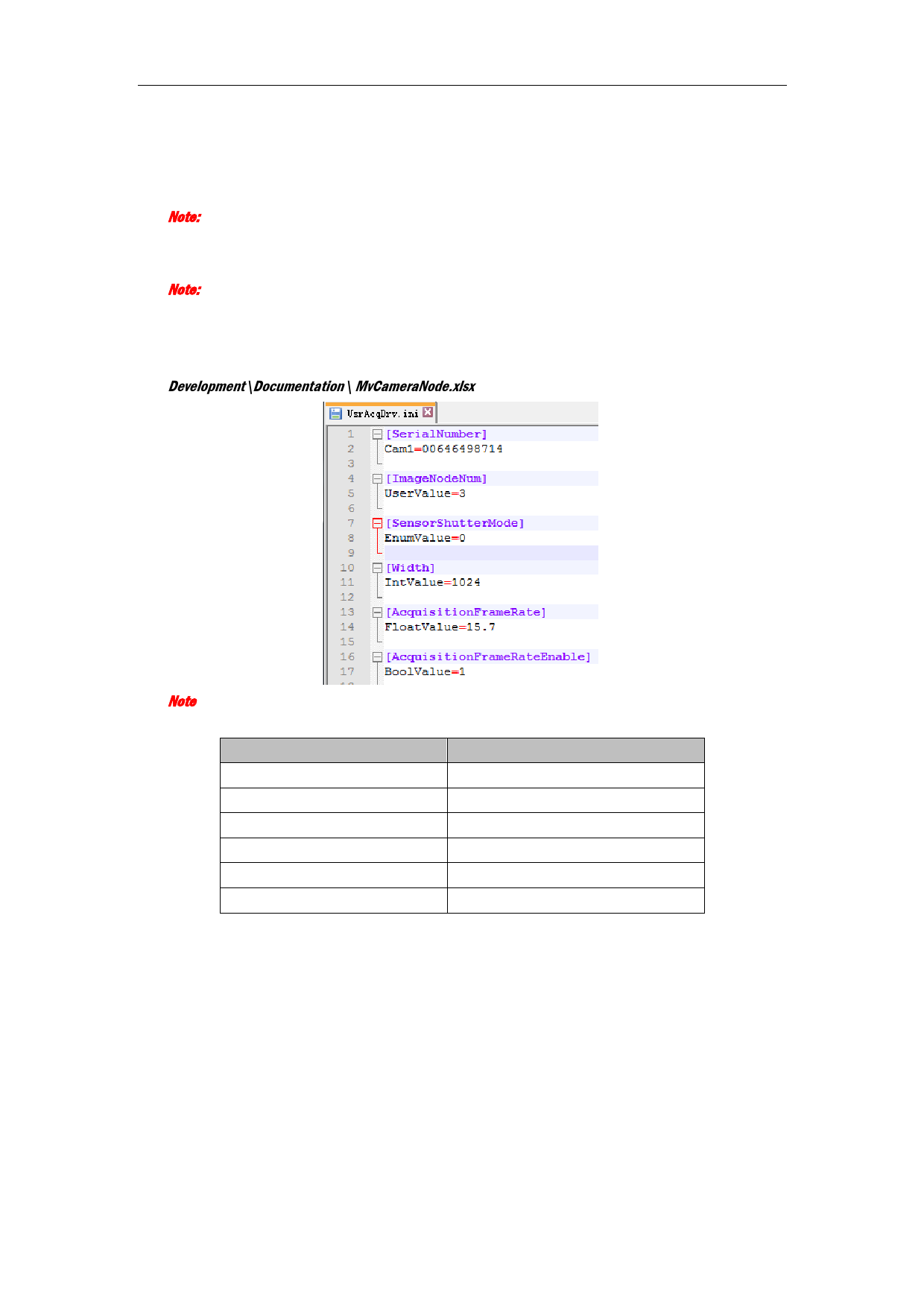
2.7Configure UsrAcqDrv.ini File
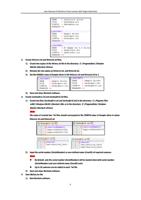
1. Set the node SerialNumer or node UserID for specifying cameras to open.
Note:
Up to 16 cameras can be added in each *ini file.
2. Set the node ImageNodeNum for configuring the image buffer.
Note:
The node ImageNodeNum is user defined, and the format is UserValue=value, of which UserValue
indicates the node type, and the value is the node value.
3. Set other nodes according to MvCameraNode.xlsx file under the MVS installation directory:
Development\Documentation\ MvCameraNode.xlsx.
Note:
The comparison of node types in *.ini file and MvCameraNode.xlsx is shown below:
Node Type in * .ini File
Node Type in MvCameraNode.xlsx
UserValue
It indicates the user defined node
EnumValue
IEnumeration
IntValue
IInteger
FloatValue
IFloat
BoolValue
IBoolean
StringValue
IString
2.8 I0:Camera Support
You can get or set the camera parameters by IO:Camera, all attributes nodes are supported.
8