Changzhou Winpark Electronics Co., Ltd
Add: 5th Floor of Tianan Industrial Village A plus, Xinbei, Changzhou 213022, China
Tel: 0086-519-85132277
Email: winpark@cnwinpark.com
Fax: 0086-519-85108252
Web: www.cnwinpark.com
XMTD-2MB-YS Series Temperature Controller
Operation Manual
Thank you for using Winpark products. Please read this manual carefully before operating the
controller and always keep it around you to make it available easily anytime.
General Electrical Data
Rated
voltage
180 -240V AC 50/60HZ
90 -120V AC 50/60HZ
Power Consumption
≤5W
Accuracy
class
0.5 Class
Work environment
Temperature: 0° C ~50° C,
RH: 35%~85%
Display
accuracy
1° C/ 0.1° C
Connection
methods
Terminal
In accordance with standard of “Q/320401HBD001-2000XMT series PID intelligent temperature
controller”
Product Model:
XMTD-2MB-YSV-SSR
(K sensor 0~400℃ Logic level output)
XMTD-2MB-YSV-JW (K sensor 0~400℃ Output relay trigger signal, user equips external
relay)
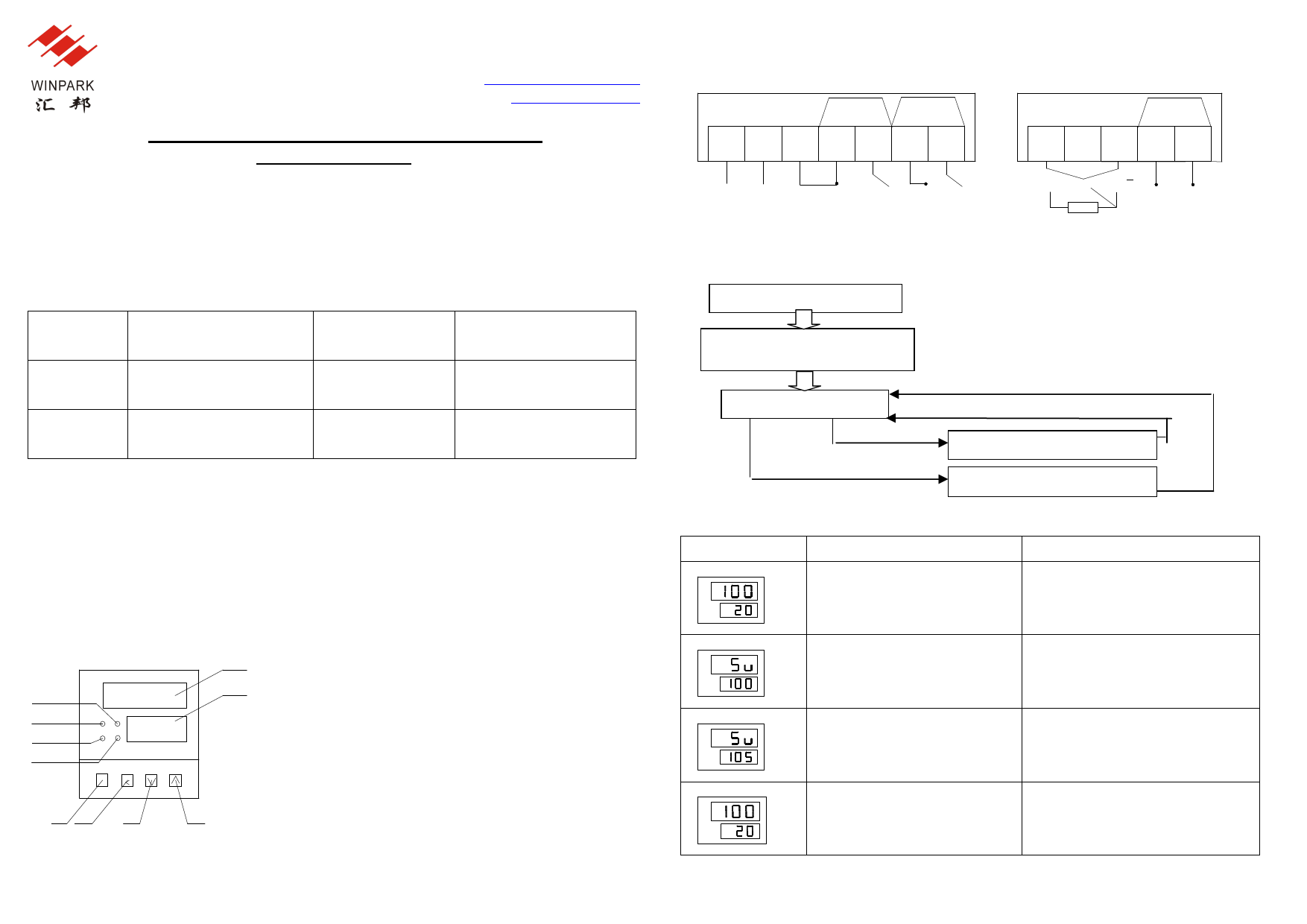
Panel explanation
⑤
⑩
⑥
⑨
⑧
⑦
SET
st
①②
③
④
①set key (SET)
②time set & shift key (ST/<)
③minus key(Ⅴ)
④plus key(Λ)
⑤measuring value(PV)
⑥time display(SV)
⑦time up indicator (END, green)
⑧alarm indicator (ALM ,red )
⑨heat output indicator (OUT, green)
⑩auto-tuning indicator(AT,red)
Wiring connection
XMTD-2MB-YSV (Terminal 3 and 4 has been connected inside the controller):
ALM
OUT
1 23 45 67
220V 110V 0V
+ -
CON-SP
8 9 10 11 12
+A B B
Operation instruction
Operation Procedures When Entering into Each State
Switch on power supply
Display code of sensor type,
display code of temperature
Press SET for 5 sec. and return, data is stored
PV/SV display mode
Press SET and return, data is stored
Press SET
Press SET for 5 sec,
Setting mode of data SV
Setting mode of data PID
How to set temperature:
Display
Description
Operation
PV
SV
Upper line displays measured
temperature
Lower line displays time set value
Press “SET” to enter temperature
setting mode
PV
SV
Upper line displays SV
Lower line displays temperature
set value
Press “∧” or“∧”, to add or minus SV
value
PV
SV
Upper line displays SV
Lower line displays temperature
set value
Hold “∧” or“∧”, to add or minus SV
value continuously
PV
SV
Upper line displays measured
temperature
Lower line displays time set value
Press “SET” to return to working
mode.
1
2