Machine Vision Camera SDK (DotNet) Developer Guide
buffer nodes. When the number of obtained images is larger than this number, the earliest
image data will be discarded automatically.
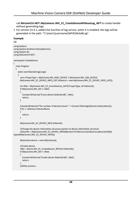
• For original image data, you can call
MvCamCtrl.NET::MyCamera::MV_CC_ConvertPixelType_NET to convert the image pixel
format, or you can call MvCamCtrl.NET::MyCamera::MV_CC_SaveImageEx2 to convert the
image to JPEG or BMP format and save as a file.
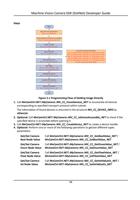
6. Perform one of the following operations to acquire images.
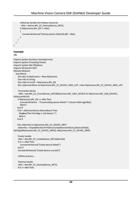
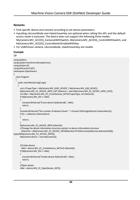
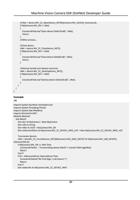
- Call MvCamCtrl.NET::MyCamera::MV_CC_GetOneFrameTimeout_NET repeatedly in the
application layer to get the frame data with specified pixel format.
- Call MvCamCtrl.NET::MyCamera::MV_CC_GetImageBuffer_NET in the application layer to
get the frame data with specified pixel format and call
MvCamCtrl.NET::MyCamera::MV_CC_FreeImageBuffer_NET to release the buffer.
Note
• When getting the frame data, the application program should control the frequency of calling
this API according to the frame rate.
• The differences of above two image acquisition methods are:
MvCamCtrl.NET::MyCamera::MV_CC_GetImageBuffer_NET should be used with
MvCamCtrl.NET::MyCamera::MV_CC_FreeImageBuffer_NET in pairs, the data pointer of
pstFrame should be released by
MvCamCtrl.NET::MyCamera::MV_CC_FreeImageBuffer_NET .
Compared with MvCamCtrl.NET::MyCamera::MV_CC_GetOneFrameTimeout_NET ,
MvCamCtrl.NET::MyCamera::MV_CC_GetImageBuffer_NET is more efficient, and its stream
buffer is allocated by SDK, while the stream buffer of
MvCamCtrl.NET::MyCamera::MV_CC_GetOneFrameTimeout_NET should allocated by the
developer.
• The above two methods and the method of acquiring image in callback function cannot be
used at the same time.
• The pData returns an address pointer, it is recommended to copy the data of pData to create
another thread.
7. Acquire images.
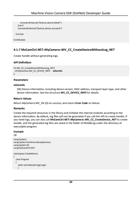
1) Call MvCamCtrl.NET::MyCamera::MV_CC_GetOneFrameTimeout_NET repeatedly in the
application layer to get the frame data with specified pixel format.
Note
When getting the frame data, the application program should control the frequency of calling
this API according to the frame rate.
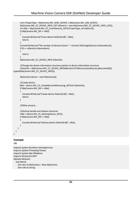
8. Optional: Call MvCamCtrl.NET::MyCamera::MV_CC_DisplayOneFrame_NET to input the
window handle and start displaying.
9. Call MvCamCtrl.NET::MyCamera::MV_CC_StopGrabbing_NET to stop the acquisition or stop
displaying.
10. Call MvCamCtrl.NET::MyCamera::MV_CC_CloseDevice_NET to close the device.
13