Home
3D
PrintUP 3D Printer
PioCreat 3D Printer
Printers
FastCOLOUR >>
ATools
DTF Textile
UV-DTF
FlatPRINT
PrintExp
InkRIP
Lasers
TruCUT CO
2
>>
TruCUT RDWorks
TruCUT 2020+
TruCUT Express
TruCUT Lite >>
4030 & Vertical Software
4030 & Vertical Documents
New 6040 Desktop
LabelMark
RayCUT
MorCUT >>
MorCUT-Cyclops
LaserMaster
Plasmas
MetalWise
Fabricam
Routers
EasyRoute
PowerRoute
Blade Cutters
Vinyl Cutters >>
V-Series
V-Smart
V-Auto (& V-Smart+)
Vinyl4
Flatbed Cutters >>
FlatCUT
Label Cutters >>
V-Auto Label Cutters
Software >>
VinylCut
More
FastCUT
Heatware
Rollman
ScreenMaster
Other Software
Miscellaneous
AM.CO.ZA
/
Buy CNC Software
/
CNC Software Training
/
CNC Software Downloads
Sales: 072 222 2211
Support: 076 666 6655
Training: 060 818 1818
Jo’burg: 087 802 5368
Cape Town: 087 802 7106
An
Project
Multimedia
Univision Videos
#SortIT Videos
MakersLab.TV
Software Training
Welldone Gallery
Updates
Prevision Blog
Cornerstone Trust
Email Campaigns
Contact Us
Sales WhatsApp
060 600 6000
Support WhatsApp
060 600 7000
Johannesburg Headquarters
011 397 1429
087 802 5368
Cape Town Showroom
021 555 3250
087 802 7106
Links
CNC Machine Repair
Vinyl Cutter
Heatware
You are here:
AM.CO.ZA
Buythis
CNC Utilities Homepage
Embro-Industrial-Embroidery-Machines
Dahao Embroidery Punching System
Dahao emCAD Embroidery Punching System User Manual V03.pdf
Page 106 of 139
D
a
h
a
o
E
m
b
r
o
ide
r
y
P
u
n
c
h
ing
S
y
s
t
e
m
e
m
CAD
User
’
s Ma
n
u
a
l
(
V
e
r
s
i
o
n
:
V
0
3
)
Be
i
j
i
n
g
D
a
h
a
o
T
e
ch
n
o
l
o
g
y
,
A
l
l
R
i
g
h
t
s
R
e
s
e
rv
e
d
e
m
C
AD
U
s
e
r
’
s
M
a
n
u
a
l
T
a
b
le
o
f
C
o
n
ten
t
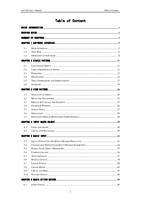
I
T
ab
le
of
Co
nte
nt
BRIEF INTRODUCTION
................................
................................
................................
..............................
1
READING GUIDE
................................
................................
................................
................................
........
2
SUMMARY OF CHAPTERS
................................
................................
................................
............................
3
CHAPTER 1 SOFTWARE I
NTERFACE
................................
................................
................................
..........
5
1.1
M
A
I
N
I
N
T
E
R
F
A
C
E
................................
................................
................................
......................
5
1.2
T
O
O
L
B
A
R
................................
................................
................................
................................
.
6
1.3
O
P
E
R
A
T
I
O
N
O
F
S
O
F
T
W
A
R
E
................................
................................
................................
........
8
CHAPTER 2 SIMPLE PAT
TERN
................................
................................
................................
................
1
1
2.1
L
O
A
D
I
M
A
G
E
O
B
J
E
C
T
................................
................................
................................
.............
1
1
2.2
C
H
E
C
K
P
R
O
P
E
R
T
I
E
S
O
F
I
M
A
G
E
................................
................................
................................
1
1
2.3
D
E
S
I
G
N
I
N
G
................................
................................
................................
.............................
12
2.4
D
E
L
I
N
E
A
T
I
O
N
................................
................................
................................
..........................
15
2.5
T
R
I
A
L
E
M
B
R
O
I
D
E
R
Y
A
N
D
I
M
P
R
O
V
E
M
E
N
T
................................
................................
................
17
2.6
S
U
M
M
A
R
Y
................................
................................
................................
..............................
18
CHAPTER 3 VIEW PATTE
RN
................................
................................
................................
....................
20
3.1
S
E
L
E
C
T
I
O
N
O
F
O
B
J
E
C
T
................................
................................
................................
............
20
3.2
M
O
V
E
A
N
D
T
R
A
N
S
F
O
R
M
................................
................................
................................
.........
22
3.3
D
I
S
P
L
A
Y
&
C
O
N
C
E
A
L
T
H
E
E
L
E
M
E
N
T
................................
................................
.......................
25
3.4
O
V
E
R
V
I
E
W
W
I
N
D
O
W
................................
................................
................................
...............
26
3.5
S
T
I
T
C
H
T
R
A
C
E
................................
................................
................................
........................
27
3.6
S
I
M
U
L
A
T
I
O
N
................................
................................
................................
...........................
28
3.7
R
E
P
E
T
I
T
I
O
N
D
I
S
P
L
A
Y
(
R
E
P
E
T
I
T
I
O
N
E
M
B
R
O
I
D
E
R
I
N
G
)
................................
...............................
28
CHAPTER 4 INPUT GRAP
H OBJECT
................................
................................
................................
........
30
4.1
L
I
N
E
S
A
N
D
G
R
A
P
H
................................
................................
................................
...................
30
4.2
C
I
R
C
L
E
A
N
D
R
E
C
T
A
N
G
L
E
................................
................................
................................
........
30
CHAPTER 5 BASIC INPU
T
................................
................................
................................
......................
33
5.1
E
Q
U
A
L
W
I
D
T
H
C
O
L
U
M
N
(
I
N
P
U
T
M
E
T
H
O
D
P
A
R
A
L
L
E
L
)
................................
............................
33
5.2
C
H
A
N
G
E
A
B
L
E
W
I
D
T
H
S
A
T
I
N
(
I
N
P
U
T
M
E
T
H
O
D
S
Y
M
M
E
T
R
Y
)
................................
....................
34
5.3
R
A
D
I
A
L
S
A
T
I
N
(
I
N
P
U
T
M
E
T
H
O
D
B
)
................................
................................
.........................
35
5.4
C
O
M
P
L
E
X
F
I
L
L
I
N
G
................................
................................
................................
..................
36
5.5
A
U
T
O
A
P
P
L
I
Q
U
É
................................
................................
................................
.....................
37
5.6
M
A
N
U
A
L
S
T
I
T
C
H
................................
................................
................................
....................
39
5.7
L
I
N
E
A
R
S
T
I
T
C
H
................................
................................
................................
.......................
40
5.8
L
I
N
E
A
R
M
O
T
I
F
................................
................................
................................
........................
42
5.9
C
I
R
C
L
E
A
N
D
R
I
N
G
................................
................................
................................
...................
45
5.10
O
U
T
L
I
N
E
S
T
I
T
C
H
................................
................................
................................
....................
46
CHAPTER 6 BASIC STIT
CH METHOD
................................
................................
................................
......
49
6.1
S
A
T
I
N
S
T
I
T
C
H
................................
................................
................................
.........................
49
T
a
b
l
e
o
f
C
o
n
ten
t
e
m
C
AD
U
s
e
r
’
s
M
a
n
u
a
l
I
I
6.2
Z
I
G
Z
A
G
S
T
I
T
C
H
................................
................................
................................
.......................
51
6.3
T
A
T
A
M
I
S
T
I
T
C
H
................................
................................
................................
.......................
52
6.4
E
S
T
I
T
C
H
................................
................................
................................
................................
54
6.5
E
A
S
Y
L
O
O
P
I
N
G
................................
................................
................................
.......................
54
6.6
M
O
T
I
F
................................
................................
................................
................................
.....
56
6.7
R
E
P
E
A
T
I
N
G
D
I
V
I
S
I
O
N
................................
................................
................................
..............
58
6.8
C
U
S
T
O
M
I
Z
E
D
D
I
V
I
S
I
O
N
................................
................................
................................
...........
59
CHAPTER 7 CHARACTER
EMBROIDERY
................................
................................
................................
....
61
7.1
I
N
P
U
T
M
E
T
H
O
D
................................
................................
................................
.......................
61
7.2
M
O
D
I
F
I
C
A
T
I
O
N
O
F
P
R
O
P
E
R
T
Y
................................
................................
................................
.
62
CHAPTER 8 SEQUIN EMB
ROIDERY
(
ONLY FOR STANDARD VE
RSION
)
................................
..............
64
8.1
S
E
T
T
I
N
G
O
F
S
E
Q
U
I
N
M
O
D
E
................................
................................
................................
.....
64
8.2
L
I
N
E
A
R
S
E
Q
U
I
N
................................
................................
................................
......................
67
8.3
P
R
O
P
E
R
T
I
E
S
O
F
S
E
Q
U
I
N
F
E
E
D
I
N
G
................................
................................
............................
69
8.4
S
E
Q
U
I
N
-
F
I
L
L
I
N
G
................................
................................
................................
.....................
75
8.5
C
U
S
T
O
M
I
Z
E
D
D
E
S
I
G
N
O
F
S
E
Q
U
I
N
-
F
I
X
I
N
G
S
T
Y
L
E
................................
................................
....
77
8.6
S
E
Q
U
I
N
E
D
I
T
I
N
G
................................
................................
................................
.....................
78
8.7
S
E
Q
U
I
N
T
E
X
T
U
R
E
................................
................................
................................
...................
79
8.8
O
B
J
E
C
T
S
E
Q
U
I
N
C
O
N
V
E
R
T
I
N
G
................................
................................
................................
81
CHAPTER 9 STITCH EFF
ECTS
................................
................................
................................
................
84
9.1
P
U
L
L
C
O
M
P
E
N
S
A
T
I
O
N
................................
................................
................................
.............
84
9.2
S
H
O
R
T
E
N
I
N
G
................................
................................
................................
...........................
85
9.3
A
U
T
O
J
U
M
P
................................
................................
................................
.............................
86
9.4
C
O
R
N
E
R
S
P
R
O
C
E
S
S
................................
................................
................................
.................
87
9.5
U
N
D
E
R
L
A
Y
P
R
O
C
E
S
S
:
................................
................................
................................
.............
89
9.6
Z
I
G
Z
A
G
B
O
R
D
E
R
................................
................................
................................
.....................
91
9.7
G
R
A
D
E
D
I
N
T
E
R
V
A
L
................................
................................
................................
.................
95
9.8
B
O
R
D
E
R
P
A
T
T
E
R
N
................................
................................
................................
...................
97
9.9
O
T
H
E
R
S
................................
................................
................................
................................
..
98
CHAPTER 10 RESHAPING
OBJECT
................................
................................
................................
..........
99
10.1
R
E
S
H
A
P
I
N
G
O
R
D
I
N
A
R
Y
O
B
J
E
C
T
S
................................
................................
............................
99
10.2
R
E
S
H
A
P
I
N
G
O
F
C
H
A
R
A
C
T
E
R
E
M
B
R
O
I
D
E
R
Y
................................
................................
...........
106
CHAPTER 11 EDITING S
TITCH
................................
................................
................................
............
109
1
1.1
S
T
I
T
C
H
E
D
I
T
I
O
N
T
O
O
L
................................
................................
................................
..........
109
1
1.2
T
O
O
L
S
O
F
S
T
I
T
C
H
L
I
S
T
................................
................................
................................
.........
1
10
CHAPTER 11 OBJECT SP
ECAIL COPY
................................
................................
................................
..
1
16
1
1.1
A
R
R
A
Y
................................
................................
................................
................................
..
1
16
1
1.2
M
I
R
R
O
R
................................
................................
................................
................................
1
17
1
1.3
C
I
R
C
L
E
................................
................................
................................
................................
.
1
18
1
1.4
K
A
L
E
I
D
O
S
C
O
P
E
................................
................................
................................
.....................
1
19
1
1.5
I
N
S
E
R
T
O
F
F
S
E
T
O
B
J
E
C
T
................................
................................
................................
.........
121
e
m
C
AD
U
s
e
r
’
s
M
a
n
u
a
l
T
a
b
le
o
f
C
o
n
ten
t
I
I
I
1
1.6
C
O
N
T
I
N
O
U
S
C
O
P
Y
................................
................................
................................
.................
122
CHAPTER 12 COLOR/OBJ
ECT LIST MANAGEMENT
................................
................................
................
123
12.1
C
H
E
C
K
O
B
J
E
C
T
I
N
F
O
R
M
A
T
I
O
N
................................
................................
..............................
123
12.2
A
D
J
U
S
T
T
H
E
E
M
B
R
O
I
D
E
R
Y
S
E
Q
U
E
N
C
E
O
F
O
B
J
E
C
T
S
................................
...............................
123
12.3
O
B
J
E
C
T
G
R
O
U
P
................................
................................
................................
.....................
124
12.4
H
I
D
E
................................
................................
................................
................................
.....
125
12.5
L
O
C
K
................................
................................
................................
................................
....
125
CHAPTER 13 PATTERN O
UTPUT
................................
................................
................................
............
126
13.1
F
O
R
M
A
T
O
F
P
A
T
T
E
R
N
A
T
I
/
O
................................
................................
................................
..
126
13.2
N
E
T
W
O
R
K
P
A
T
T
E
R
N
T
R
A
N
S
F
E
R
................................
................................
............................
126
CHAPTER 14 DESIGN PL
AN
................................
................................
................................
..................
127
14.1
H
A
N
D
L
I
N
G
T
H
E
M
A
T
E
R
I
A
L
S
................................
................................
................................
..
127
14.2
M
A
K
E
P
A
T
T
E
R
N
................................
................................
................................
....................
128
14.3
C
O
L
O
R
I
N
G
................................
................................
................................
............................
129
14.4
3D
E
F
F
E
C
T
................................
................................
................................
............................
12
9
APPENDIX 1 HOTKEY LI
ST
................................
................................
................................
..................
131
e
m
C
AD
U
s
e
r
’
s
M
a
n
u
a
l
B
r
i
e
f
I
n
tr
o
d
u
c
ti
o
n
&
R
e
a
d
i
n
g
Gu
i
d
e
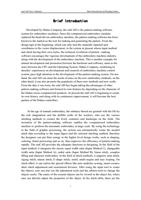
1
B
ri
ef
In
tro
duc
ti
on
D
e
v
e
l
o
p
e
d
b
y
D
a
h
a
o
C
o
m
p
a
n
y
,
t
h
e
e
m
C
A
D
i
s
t
h
e
p
a
t
t
e
rn
-
m
a
k
i
n
g
s
o
ft
w
a
r
e
s
y
s
t
e
m
fo
r
e
m
b
ro
i
d
e
r
y
m
a
c
h
i
n
e
s
.
S
i
n
c
e
t
h
e
c
o
m
p
u
t
e
ri
z
e
d
e
m
b
r
o
i
d
e
ry
m
a
c
h
i
n
e
re
p
l
a
c
e
d
t
h
e
h
a
n
d
-
d
r
i
v
e
n
e
m
b
r
o
i
d
e
ry
m
a
c
h
i
n
e
,
t
h
e
p
a
t
t
e
r
n
-
m
a
k
i
n
g
s
o
f
t
w
a
r
e
h
a
s
b
e
e
n
k
n
o
w
n
t
o
t
h
e
m
a
rk
e
t
a
s
t
h
e
t
o
o
l
f
o
r
m
a
k
i
n
g
a
n
d
g
e
n
e
ra
t
i
n
g
t
h
e
p
a
t
t
e
r
n
.
F
r
o
m
t
h
e
d
e
s
i
g
n
t
a
p
e
a
t
t
h
e
b
e
g
i
n
n
i
n
g
,
w
h
i
c
h
c
a
n
o
n
l
y
t
u
rn
t
h
e
m
a
n
u
a
l
l
y
i
n
p
u
t
t
e
d
s
p
o
t
c
o
o
r
d
i
n
a
t
e
s
t
o
t
h
e
v
e
c
t
o
r
d
i
s
p
l
a
c
e
m
e
n
t
,
t
o
t
h
e
s
y
s
t
e
m
a
t
p
r
e
s
e
n
t
w
h
o
s
e
i
n
p
u
t
m
e
t
h
o
d
a
n
d
s
t
i
t
c
h
h
a
v
i
n
g
t
h
e
i
r
o
w
n
s
t
y
l
e
s
,
t
h
e
t
e
c
h
n
i
c
a
l
re
v
o
l
u
t
i
o
n
o
f
p
a
t
t
e
rn
–
m
a
k
i
n
g
s
o
f
t
w
a
r
e
e
n
c
o
u
ra
g
e
s
t
h
e
v
i
g
o
ro
u
s
d
e
v
e
l
o
p
m
e
n
t
o
f
t
h
e
e
m
b
r
o
i
d
e
r
y
m
a
c
h
i
n
e
i
n
d
u
s
t
r
y
,
a
l
o
n
g
w
i
t
h
t
h
e
d
e
v
e
l
o
p
m
e
n
t
o
f
t
h
e
e
m
b
r
o
i
d
e
ry
m
a
c
h
i
n
e
.
T
h
i
s
i
s
a
n
o
t
h
e
r
e
x
a
m
p
l
e
fo
r
m
u
t
u
a
l
d
e
v
e
l
o
p
m
e
n
t
a
n
d
p
ro
m
o
t
i
o
n
b
e
t
w
e
e
n
t
h
e
h
a
r
d
w
a
re
a
n
d
s
o
f
t
w
a
r
e
,
s
a
m
e
a
s
t
h
e
s
t
o
r
y
b
e
t
w
e
e
n
t
h
e
CP
U
a
n
d
t
h
e
O
p
e
ra
t
i
n
g
S
y
s
t
e
m
.
D
a
h
a
o
C
o
m
p
a
n
y
,
c
o
m
b
i
n
i
n
g
i
t
s
d
e
c
a
d
e
s
’
e
x
p
e
r
i
e
n
c
e
s
o
n
d
e
v
e
l
o
p
m
e
n
t
a
n
d
r
e
s
e
a
r
c
h
o
f
e
m
b
ro
i
d
e
r
y
m
a
c
h
i
n
e
c
o
n
t
ro
l
s
y
s
t
e
m
,
p
a
y
s
h
i
g
h
a
t
t
e
n
t
i
o
n
t
o
t
h
e
d
e
v
e
l
o
p
m
e
n
t
o
f
t
h
e
p
a
t
t
e
r
n
-
m
a
k
i
n
g
s
y
s
t
e
m
.
O
n
o
n
e
h
a
n
d
,
t
h
e
e
m
C
A
D
c
a
n
m
e
e
t
t
h
e
n
e
e
d
s
o
f
u
s
e
r
s
o
n
t
h
e
n
e
w
e
m
b
ro
i
d
e
r
y
m
e
t
h
o
d
s
;
o
n
t
h
e
o
t
h
e
r
h
a
n
d
,
i
t
c
a
n
a
l
s
o
p
r
o
m
o
t
e
t
h
e
p
o
p
u
l
a
ri
t
y
o
f
t
h
e
s
e
n
e
w
m
e
t
h
o
d
s
a
n
d
n
e
w
c
ra
f
t
s
.
F
ro
m
t
h
e
d
a
t
e
i
t
w
a
s
b
o
r
n
,
t
h
e
e
m
C
A
D
h
a
s
b
e
g
u
n
t
a
k
i
n
g
t
h
e
a
d
v
a
n
t
a
g
e
s
o
f
o
t
h
e
r
p
a
t
t
e
r
n
-
m
a
k
i
n
g
s
o
f
t
w
a
r
e
a
n
d
fo
r
m
e
d
i
t
s
o
w
n
f
e
a
t
u
re
s
b
y
d
e
p
e
n
d
i
n
g
o
n
t
h
e
c
h
a
ra
c
t
e
r
o
f
t
h
e
D
a
h
a
o
s
e
ri
e
s
c
o
m
p
u
t
e
r
i
z
e
d
p
r
o
d
u
c
t
s
.
A
t
p
r
e
s
e
n
t
t
h
e
e
m
C
A
D
i
s
b
e
g
i
n
n
i
n
g
t
o
c
r
e
a
t
e
i
t
s
o
w
n
h
i
s
t
o
r
y
,
a
n
d
a
l
o
n
g
w
i
t
h
i
t
s
c
o
n
t
i
n
u
o
u
s
i
m
p
r
o
v
e
m
e
n
t
,
i
t
w
i
l
l
b
e
c
o
m
e
t
h
e
b
e
s
t
p
a
rt
n
e
r
o
f
t
h
e
D
a
h
a
o
c
o
n
t
ro
l
l
e
r
s
.
I
n
t
h
e
a
g
e
o
f
m
a
n
u
a
l
e
m
b
r
o
i
d
e
ry
,
t
h
e
o
rd
i
n
a
r
y
t
h
re
a
d
a
re
g
ra
n
t
e
d
w
i
t
h
t
h
e
l
i
fe
b
y
t
h
e
ri
c
h
i
m
a
g
i
n
a
t
i
o
n
a
n
d
t
h
e
s
k
i
l
l
f
u
l
c
ra
f
t
s
o
f
t
h
e
w
o
r
k
e
r
s
,
w
h
o
u
s
e
t
h
e
v
a
ri
o
u
s
s
t
i
t
c
h
i
n
g
m
e
t
h
o
d
s
t
o
c
r
e
a
t
e
s
t
h
e
l
i
v
e
l
y
c
r
e
a
t
u
r
e
s
a
n
d
l
a
n
d
s
c
a
p
e
o
n
t
h
e
c
l
o
t
h
.
T
h
e
i
n
v
e
n
t
i
o
n
o
f
t
h
e
p
a
t
t
e
r
n
-
m
a
k
i
n
g
s
o
f
t
w
a
r
e
e
n
a
b
l
e
s
t
h
e
c
o
m
p
u
t
e
r
i
z
e
d
e
m
b
ro
i
d
e
r
y
m
a
c
h
i
n
e
t
o
p
e
r
f
o
r
m
t
h
e
a
u
t
o
m
a
t
i
c
e
m
b
r
o
i
d
e
r
y
i
n
l
a
r
g
e
s
c
a
l
e
.
B
y
u
s
i
n
g
t
h
e
t
e
c
h
n
o
l
o
g
y
i
n
t
h
e
fi
e
l
d
o
f
g
ra
p
h
i
c
p
r
o
c
e
s
s
i
n
g
,
t
h
e
s
y
s
t
e
m
c
a
n
a
u
t
o
m
a
t
i
c
a
l
l
y
c
r
e
a
t
e
t
h
e
n
e
e
d
e
d
s
t
i
t
c
h
d
a
t
a
a
c
c
o
r
d
i
n
g
t
o
t
h
e
i
n
p
u
t
fi
g
u
r
e
a
n
d
t
h
e
s
e
l
e
c
t
e
d
s
t
i
t
c
h
i
n
g
m
e
t
h
o
d
;
t
h
e
r
e
fo
r
e
t
h
e
d
e
s
i
g
n
e
r
s
c
a
n
p
u
t
t
h
e
i
r
e
n
e
rg
y
t
o
t
h
e
h
i
g
h
e
r
l
e
v
e
l
d
e
s
i
g
n
w
o
rk
s
,
s
u
c
h
a
s
s
h
a
p
i
n
g
,
c
o
l
o
r
i
n
g
,
d
e
t
a
i
l
p
r
o
c
e
s
s
i
n
g
a
n
d
s
o
o
n
,
t
h
u
s
i
m
p
ro
v
e
s
t
h
e
e
f
fi
c
i
e
n
c
y
o
f
p
a
t
t
e
rn
-
m
a
k
i
n
g
ra
p
i
d
l
y
.
T
h
e
e
m
C
A
D
p
r
o
v
i
d
e
s
t
h
e
a
d
e
q
u
a
t
e
f
u
n
c
t
i
o
n
s
i
n
d
e
s
i
g
n
i
n
g
.
I
n
t
h
e
fi
e
l
d
o
f
t
h
e
i
n
p
u
t
m
e
t
h
o
d
,
i
t
i
n
t
e
g
ra
t
e
s
t
h
e
c
l
a
s
s
i
c
e
q
u
a
l
w
i
d
t
h
s
a
t
i
n
(In
p
u
t
M
e
t
h
o
d
C),
c
h
a
n
g
e
a
b
l
e
w
i
d
t
h
s
a
t
i
n
(
I
n
p
u
t
M
e
t
h
o
d
A
),
ra
d
i
a
l
s
a
t
i
n
(I
n
p
u
t
M
e
t
h
o
d
B)
,
l
i
n
e
a
r
s
t
i
t
c
h
,
c
o
m
p
l
e
x
f
i
l
l
i
n
g
a
n
d
c
h
a
ra
c
t
e
r
e
m
b
r
o
i
d
e
ry
.
I
n
t
h
e
f
i
e
l
d
o
f
s
t
i
t
c
h
m
e
t
h
o
d
s
,
i
t
s
u
p
p
o
rt
s
s
a
t
i
n
s
t
i
t
c
h
,
z
i
g
z
a
g
s
t
i
t
c
h
,
t
a
t
a
m
i
s
t
i
t
c
h
,
E
-
s
h
a
p
e
s
t
i
t
c
h
,
m
o
t
i
f
,
m
u
l
t
i
-
s
e
q
u
i
n
a
n
d
e
a
s
y
l
o
o
p
i
n
g
.
O
n
s
t
i
t
c
h
e
f
fe
c
t
,
i
t
c
a
n
r
e
a
l
i
z
e
t
h
e
s
p
e
c
i
a
l
e
f
fe
c
t
s
l
i
k
e
a
u
t
o
u
n
d
e
r
l
a
y
s
e
w
i
n
g
,
s
m
a
rt
c
o
r
n
e
r
s
,
s
h
o
r
t
s
t
i
t
c
h
a
d
j
u
s
t
m
e
n
t
a
n
d
c
u
s
t
o
m
i
z
e
d
d
i
v
i
s
i
o
n
.
A
f
t
e
r
u
s
i
n
g
t
h
e
i
n
p
u
t
t
o
o
l
t
o
c
r
e
a
t
e
t
h
e
o
b
j
e
c
t
s
,
u
s
e
r
c
a
n
a
l
s
o
u
s
e
t
h
e
a
d
j
u
s
t
m
e
n
t
t
o
o
l
s
a
n
d
t
h
e
e
d
i
t
i
o
n
t
o
o
l
s
t
o
c
h
a
n
g
e
t
h
e
o
b
j
e
c
t
s
e
a
s
i
l
y
.
T
h
e
e
n
t
i
re
o
f
t
h
e
c
r
e
a
t
e
d
o
b
j
e
c
t
s
c
a
n
b
e
v
i
e
w
e
d
i
n
t
h
e
o
b
j
e
c
t
l
i
s
t
,
w
h
e
r
e
u
s
e
r
c
a
n
d
i
r
e
c
t
l
y
a
d
j
u
s
t
t
h
e
p
ro
p
e
rt
i
e
s
o
f
t
h
e
o
b
j
e
c
t
.
I
n
t
h
e
s
t
i
t
c
h
t
a
b
l
e
,
t
h
e
re
a
re
t
h
e
B
r
i
e
f
I
n
tr
o
d
u
c
ti
o
n
&
R
e
a
d
i
n
g
Gu
i
d
e
e
m
C
AD
Us
e
r
’
s
M
a
n
u
a
l
2
d
e
t
a
i
l
s
o
f
a
l
l
s
t
i
t
c
h
e
s
,
w
h
i
c
h
i
s
e
a
s
y
fo
r
u
s
e
r
t
o
h
a
v
e
a
n
a
l
y
s
i
s
.
B
e
s
i
d
e
s
t
h
a
t
,
t
h
e
r
e
a
r
e
s
e
v
e
ra
l
a
s
s
i
s
t
a
n
t
f
u
n
c
t
i
o
n
s
re
l
a
t
i
n
g
t
o
t
h
e
d
i
s
p
l
a
y
a
n
d
o
p
e
ra
t
i
o
n
s
,
l
i
k
e
s
t
i
t
c
h
t
ra
c
i
n
g
,
t
h
u
m
b
n
a
i
l
v
i
e
w
a
n
d
s
i
m
u
l
a
t
e
d
e
m
b
r
o
i
d
e
r
y
.
W
h
e
n
u
s
e
r
s
t
a
rt
s
t
o
u
s
e
t
h
e
e
m
C
A
D
,
h
e
w
i
l
l
fi
n
d
i
t
u
s
e
r
-
f
ri
e
n
d
l
y
a
n
d
b
e
c
o
m
e
a
s
k
i
l
l
f
u
l
p
a
t
t
e
r
n
d
e
s
i
g
n
e
r
i
n
a
s
h
o
rt
t
i
m
e
.
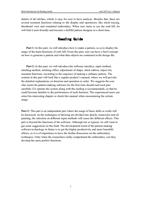
R
ea
din
g
Gui
de
P
a
r
t
1
:
I
n
t
h
i
s
p
a
rt
,
w
e
w
i
l
l
i
n
t
r
o
d
u
c
e
h
o
w
t
o
m
a
k
e
a
p
a
t
t
e
r
n
,
s
o
a
s
t
o
d
i
s
p
l
a
y
t
h
e
u
s
a
g
e
o
f
t
h
e
m
a
i
n
f
u
n
c
t
i
o
n
s
o
f
e
m
C
A
D
.
F
r
o
m
t
h
i
s
p
a
rt
,
u
s
e
r
c
a
n
h
a
v
e
a
b
ri
e
f
c
o
n
c
e
p
t
o
n
h
o
w
t
o
g
e
n
e
ra
t
e
a
p
a
t
t
e
rn
a
n
d
w
h
a
t
d
a
t
a
o
b
j
e
c
t
s
a
r
e
c
o
n
t
a
i
n
e
d
i
n
t
h
e
d
e
s
i
g
n
f
i
l
e
.
P
a
r
t
2
:
I
n
t
h
i
s
p
a
rt
,
w
e
w
i
l
l
i
n
t
r
o
d
u
c
e
t
h
e
s
o
f
t
w
a
r
e
i
n
t
e
r
f
a
c
e
,
i
n
p
u
t
m
e
t
h
o
d
,
s
t
i
t
c
h
i
n
g
m
e
t
h
o
d
,
s
t
i
t
c
h
i
n
g
e
ffe
c
t
,
a
d
j
u
s
t
m
e
n
t
o
f
s
h
a
p
e
,
s
t
i
t
c
h
e
d
i
t
i
o
n
,
o
b
j
e
c
t
l
i
s
t
,
a
s
s
i
s
t
a
n
t
f
u
n
c
t
i
o
n
s
,
a
c
c
o
r
d
i
n
g
t
o
t
h
e
s
e
q
u
e
n
c
e
o
f
m
a
k
i
n
g
a
o
rd
i
n
a
r
y
p
a
t
t
e
r
n
.
T
h
e
c
o
n
t
e
n
t
i
n
t
h
i
s
p
a
rt
w
i
l
l
l
o
o
k
l
i
k
e
a
re
g
u
l
a
r
p
r
o
d
u
c
t
’
s
m
a
n
u
a
l
,
w
h
e
r
e
w
e
w
i
l
l
p
ro
v
i
d
e
t
h
e
d
e
t
a
i
l
e
d
e
x
p
l
a
n
a
t
i
o
n
s
o
n
f
u
n
c
t
i
o
n
a
n
d
o
p
e
ra
t
i
o
n
i
n
o
r
d
e
r.
W
e
s
u
g
g
e
s
t
s
t
h
e
u
s
e
r
w
h
o
m
e
e
t
s
t
h
e
p
a
t
t
e
rn
-
m
a
k
i
n
g
s
o
ft
w
a
r
e
fo
r
t
h
e
f
i
r
s
t
t
i
m
e
s
h
o
u
l
d
r
e
a
d
e
a
c
h
p
a
rt
c
a
re
f
u
l
l
y
(T
o
o
p
e
ra
t
e
t
h
e
s
y
s
t
e
m
a
l
o
n
g
w
i
t
h
t
h
e
re
a
d
i
n
g
i
s
r
e
c
o
m
m
e
n
d
e
d
)
,
s
o
t
h
a
t
h
e
c
o
u
l
d
b
e
c
o
m
e
f
a
m
i
l
i
a
r
t
o
t
h
e
p
e
r
fo
r
m
a
n
c
e
o
f
e
a
c
h
f
u
n
c
t
i
o
n
.
T
h
e
e
x
p
e
ri
e
n
c
e
d
u
s
e
r
s
c
a
n
s
e
l
e
c
t
h
i
s
i
n
t
e
r
e
s
t
i
n
g
c
h
a
p
t
e
r
o
r
c
h
e
c
k
t
h
i
s
m
a
n
u
a
l
w
h
e
n
e
n
c
o
u
n
t
e
ri
n
g
t
h
e
c
e
rt
a
i
n
u
s
a
g
e
.
P
a
r
t
3
:
T
h
i
s
p
a
rt
i
s
a
n
i
n
d
e
p
e
n
d
e
n
t
p
a
rt
w
h
e
r
e
t
h
e
u
s
a
g
e
o
f
b
a
s
i
c
s
k
i
l
l
s
o
r
c
r
a
f
t
s
w
i
l
l
b
e
d
i
s
c
u
s
s
e
d
.
A
s
t
h
e
t
e
c
h
n
i
q
u
e
s
o
f
d
ra
w
i
n
g
a
r
e
d
i
v
i
d
e
d
i
n
t
o
s
k
e
t
c
h
,
w
a
t
e
r
c
o
l
o
r
a
n
d
o
i
l
p
a
i
n
t
i
n
g
,
t
h
e
s
e
l
e
c
t
i
o
n
o
n
d
i
ffe
r
e
n
t
i
n
p
u
t
m
e
t
h
o
d
s
w
i
l
l
c
a
u
s
e
t
h
e
d
i
ffe
r
e
n
t
e
ffe
c
t
s
.
T
h
i
s
p
a
rt
i
s
b
e
y
o
n
d
t
h
e
f
u
n
c
t
i
o
n
s
o
f
t
h
e
s
o
ft
w
a
re
.
A
l
t
h
o
u
g
h
n
o
t
s
o
t
y
p
i
c
a
l
,
w
e
s
t
i
l
l
w
a
n
t
t
o
g
e
t
s
o
m
e
s
u
g
g
e
s
t
i
o
n
s
i
n
t
h
i
s
fi
e
l
d
.
T
h
e
d
e
v
e
l
o
p
m
e
n
t
t
r
e
n
d
o
f
t
h
e
p
a
t
t
e
rn
-
m
a
k
i
n
g
s
o
f
t
w
a
r
e
t
e
c
h
n
o
l
o
g
y
i
n
f
u
t
u
re
i
s
t
o
g
e
t
t
h
e
h
i
g
h
e
r
p
ro
d
u
c
t
i
v
i
t
y
a
n
d
m
o
r
e
b
e
a
u
t
i
f
u
l
e
ffe
c
t
s
,
s
o
i
t
i
s
o
f
i
m
p
o
rt
a
n
c
e
t
o
h
a
v
e
t
h
e
f
u
rt
h
e
r
d
i
s
c
u
s
s
i
o
n
o
n
t
h
e
e
m
b
r
o
i
d
e
ry
t
e
c
h
n
i
q
u
e
s
.
O
n
l
y
w
h
e
n
t
h
e
r
e
s
e
a
r
c
h
e
r
s
r
e
a
l
l
y
c
o
m
p
r
e
h
e
n
d
t
h
e
e
m
b
ro
i
d
e
r
y
,
c
a
n
t
h
e
y
d
e
v
e
l
o
p
t
h
e
m
o
re
p
e
r
fe
c
t
f
u
n
c
t
i
o
n
s
.
e
m
C
AD
U
s
e
r
’
s
M
a
n
u
a
l
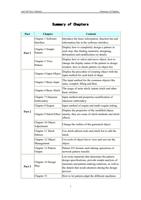
S
u
m
m
a
r
y
o
f
C
h
a
p
ter
s
3
S
um
mar
y
of
Cha
pt
ers
P
a
r
t
C
h
a
p
te
r
C
o
n
te
n
t
P
a
r
t
1
Ch
a
p
t
e
r
1
S
o
f
t
w
a
r
e
I
n
t
e
r
f
a
c
e
I
n
t
r
o
d
u
c
e
t
h
e
b
a
s
i
c
i
n
fo
r
m
a
t
i
o
n
,
f
u
n
c
t
i
o
n
b
a
r
a
n
d
i
n
fo
r
m
a
t
i
o
n
b
a
r
i
n
t
h
e
s
o
f
t
w
a
r
e
i
n
t
e
r
f
a
c
e
.
Ch
a
p
t
e
r
2
S
i
m
p
l
e
P
a
t
t
e
rn
D
i
s
p
l
a
y
h
o
w
t
o
c
o
m
p
l
e
t
e
l
y
d
e
s
i
g
n
a
p
a
t
t
e
rn
i
n
e
a
c
h
s
t
e
p
,
l
i
k
e
f
i
n
d
i
n
g
m
a
t
e
ri
a
l
s
,
d
e
s
i
g
n
i
n
g
,
d
e
l
i
n
e
a
t
i
o
n
a
n
d
m
o
d
i
fi
c
a
t
i
o
n
o
n
d
e
t
a
i
l
s
.
Ch
a
p
t
e
r
3
V
i
e
w
P
a
t
t
e
rn
D
i
s
p
l
a
y
h
o
w
t
o
s
e
l
e
c
t
a
n
d
m
o
v
e
o
b
j
e
c
t
,
h
o
w
t
o
c
h
a
n
g
e
t
h
e
d
i
s
p
l
a
y
s
t
a
t
u
s
o
f
t
h
e
p
a
t
t
e
rn
i
n
d
e
s
i
g
n
w
i
n
d
o
w
,
h
o
w
t
o
c
h
e
c
k
p
a
t
t
e
r
n
v
i
a
o
b
j
e
c
t
l
i
s
t
.
P
a
r
t
2
Ch
a
p
t
e
r
4
I
n
p
u
t
O
b
j
e
c
t
D
i
s
p
l
a
y
t
h
e
p
ro
c
e
d
u
re
o
f
c
re
a
t
i
n
g
o
b
j
e
c
t
w
i
t
h
t
h
e
i
n
p
u
t
m
e
t
h
o
d
fo
r
e
a
c
h
k
i
n
d
o
f
s
h
a
p
e
.
Ch
a
p
t
e
r
5
Ba
s
i
c
I
n
p
u
t
T
h
e
i
n
p
u
t
m
e
t
h
o
d
fo
r
t
h
e
c
o
m
m
o
n
o
b
j
e
c
t
s
l
i
k
e
s
a
t
i
n
,
c
o
m
p
l
e
x
f
i
l
l
i
n
g
a
n
d
Ru
n
.
Ch
a
p
t
e
r
6
Ba
s
i
c
S
t
i
t
c
h
T
h
e
u
s
a
g
e
o
f
s
a
t
i
n
s
t
i
t
c
h
,
t
a
t
a
m
i
s
t
i
t
c
h
a
n
d
o
t
h
e
r
b
a
s
i
c
s
t
i
t
c
h
e
s
.
Ch
a
p
t
e
r
7
C
h
a
ra
c
t
e
r
E
m
b
r
o
i
d
e
ry
In
p
u
t
m
e
t
h
o
d
a
n
d
p
r
o
p
e
r
t
i
e
s
m
o
d
i
f
i
c
a
t
i
o
n
o
f
c
h
a
ra
c
t
e
r
e
m
b
r
o
i
d
e
r
y
.
Ch
a
p
t
e
r
8
S
e
q
u
i
n
In
p
u
t
m
e
t
h
o
d
o
f
s
e
q
u
i
n
a
n
d
m
u
l
t
i
-
s
e
q
u
i
n
s
e
t
t
i
n
g
.
C
h
a
p
t
e
r
9
S
t
i
t
c
h
E
ffe
c
t
D
i
s
p
l
a
y
t
h
e
p
ro
p
e
rt
i
e
s
o
f
t
h
e
m
o
d
i
fi
e
d
o
b
j
e
c
t
,
m
a
i
n
l
y
,
t
h
e
y
a
r
e
s
o
m
e
o
f
s
t
i
t
c
h
m
e
t
h
o
d
s
a
n
d
s
t
i
t
c
h
e
ffe
c
t
s
.
Ch
a
p
t
e
r
1
0
O
b
j
e
c
t
A
d
j
u
s
t
m
e
n
t
Ch
a
n
g
e
t
h
e
o
u
t
l
i
n
e
o
f
t
h
e
g
e
n
e
ra
t
e
d
o
b
j
e
c
t
.
Ch
a
p
t
e
r
1
1
S
t
i
t
c
h
E
d
i
t
i
o
n
U
s
e
s
t
i
t
c
h
e
d
i
t
i
o
n
t
o
o
l
s
a
n
d
s
t
i
t
c
h
l
i
s
t
t
o
e
d
i
t
t
h
e
s
t
i
t
c
h
.
Ch
a
p
t
e
r
1
2
O
b
j
e
c
t
M
a
n
a
g
e
m
e
n
t
U
s
e
t
o
o
l
s
o
f
o
b
j
e
c
t
l
i
s
t
t
o
v
i
e
w
a
n
d
s
o
rt
o
u
t
t
h
e
o
b
j
e
c
t
.
Ch
a
p
t
e
r
1
3
P
a
t
t
e
r
n
O
u
t
p
u
t
P
a
t
t
e
rn
I/
O
fo
r
m
a
t
s
a
n
d
r
e
l
a
t
i
n
g
o
p
e
ra
t
i
o
n
s
o
f
n
e
t
w
o
rk
p
a
t
t
e
r
n
t
ra
n
s
fe
r
.
P
a
r
t
3
Ch
a
p
t
e
r
1
4
D
e
s
i
g
n
P
l
a
n
L
i
s
t
s
o
m
e
m
a
t
e
ri
a
l
s
t
h
a
t
d
e
t
e
r
m
i
n
e
t
h
e
p
a
t
t
e
r
n
d
e
s
i
g
n
s
p
e
c
i
f
i
c
a
t
i
o
n
s
,
p
r
o
v
i
d
e
s
i
m
p
l
e
a
n
a
l
y
s
i
s
o
f
m
a
t
e
ri
a
l
s
a
n
d
p
a
t
t
e
rn
-
m
a
k
i
n
g
s
o
l
u
t
i
o
n
s
,
a
s
w
e
l
l
a
s
t
h
e
d
e
t
a
i
l
s
t
h
a
t
n
e
e
d
s
a
t
t
e
n
t
i
o
n
d
u
ri
n
g
t
h
e
d
e
s
i
g
n
p
ro
c
e
s
s
.
Ch
a
p
t
e
r
1
5
H
o
w
t
o
l
e
t
p
a
t
t
e
r
n
a
d
a
p
t
t
h
e
d
i
ffe
r
e
n
t
m
a
c
h
i
n
e
s
S
u
m
m
a
r
y
o
f
C
h
a
p
ter
s
e
m
C
AD
Us
e
r
’
s
M
a
n
u
a
l
4
S
t
r
e
n
g
t
h
e
n
i
n
g
A
d
a
p
t
a
b
i
l
i
t
y
a
n
d
t
h
e
p
r
o
c
e
s
s
i
n
g
m
a
t
e
ri
a
l
s
,
d
i
s
c
u
s
s
h
o
w
t
o
p
r
e
s
e
r
v
e
t
h
e
m
o
d
i
f
i
c
a
t
i
o
n
s
p
a
c
e
o
f
p
a
t
t
e
r
n
.
A
p
p
e
n
d
i
x
A
p
p
e
n
d
i
x
1
H
o
t
k
e
y
L
i
s
t
T
h
e
l
i
s
t
o
f
t
h
e
h
o
t
k
e
y
s
fo
r
t
h
i
s
s
o
f
t
w
a
r
e
.
"
Do you need help?
Call Me Back