





before to the control system.
2.2 “Help” menu items
Click the
menu.
icon on the menu bar to open the “Help” pull-down
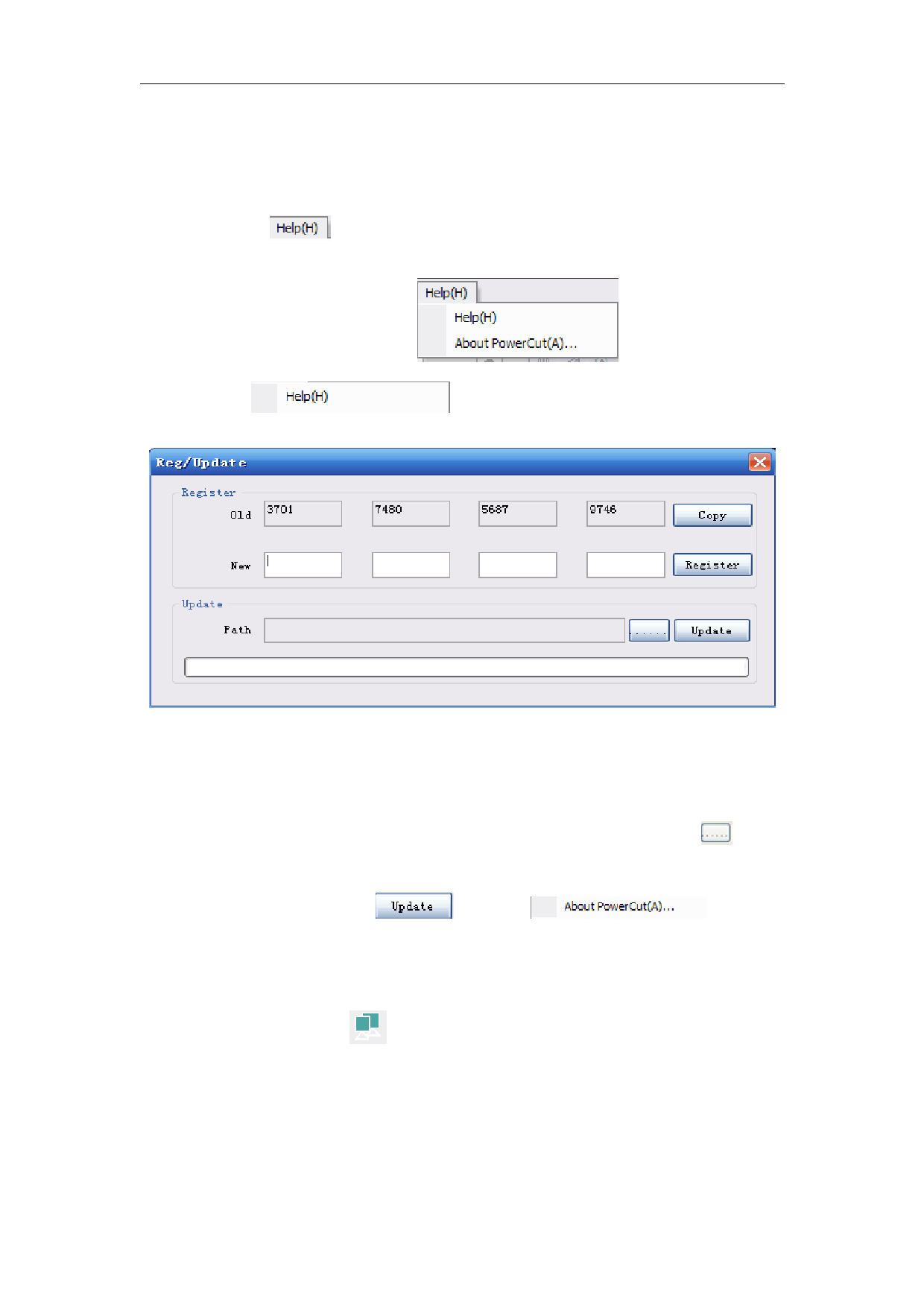
Choose
, Pop-up registration/upgrade window,
showing the registration/upgrade information.
Registeration method: After the original registeration code expired,
acquiring the new registeration code from the manufacture. Input the
new 16 bits registeration code into the box, and then click “register”.
Upgrate method: Aquire the update documents from the manufacture ,
and then save to the computer appointed position. Click
while
updating to find the updated file which deposited in the appointed
place, and then click
. Choose
, pop out
“about” window, which showing the company’s related information.
2.3 Machine connection
Click on the button of
appear the device connection dialog:as shown below
.
25