User Manual of Machine Vision Camera SDK Plugin (DirectShow)
Chapter 2Configuration
2.1 Configure Camera Parameters
Steps:
1. Open MVS, and configure the IP address and parameters of machine vision camera.
Note:
Ensure that PC and camera are on the same network segment, and camera can acquire images from
MVS.
2.2 Register and Unregister Plugin
Purpose:
When installing the MVS client, the plugin will not be registered by default. You can perform the following
steps to register and unregister the plugin manually.
Steps:
1. Run the script register.bat as administrator to register the plugin.
Note:
The plugin is in the directory: Development\ThirdPartyPlatformAdapter\DirectShow
MvDDS directory contains the old plugin register, MvDDS2 contains the new plugin register.
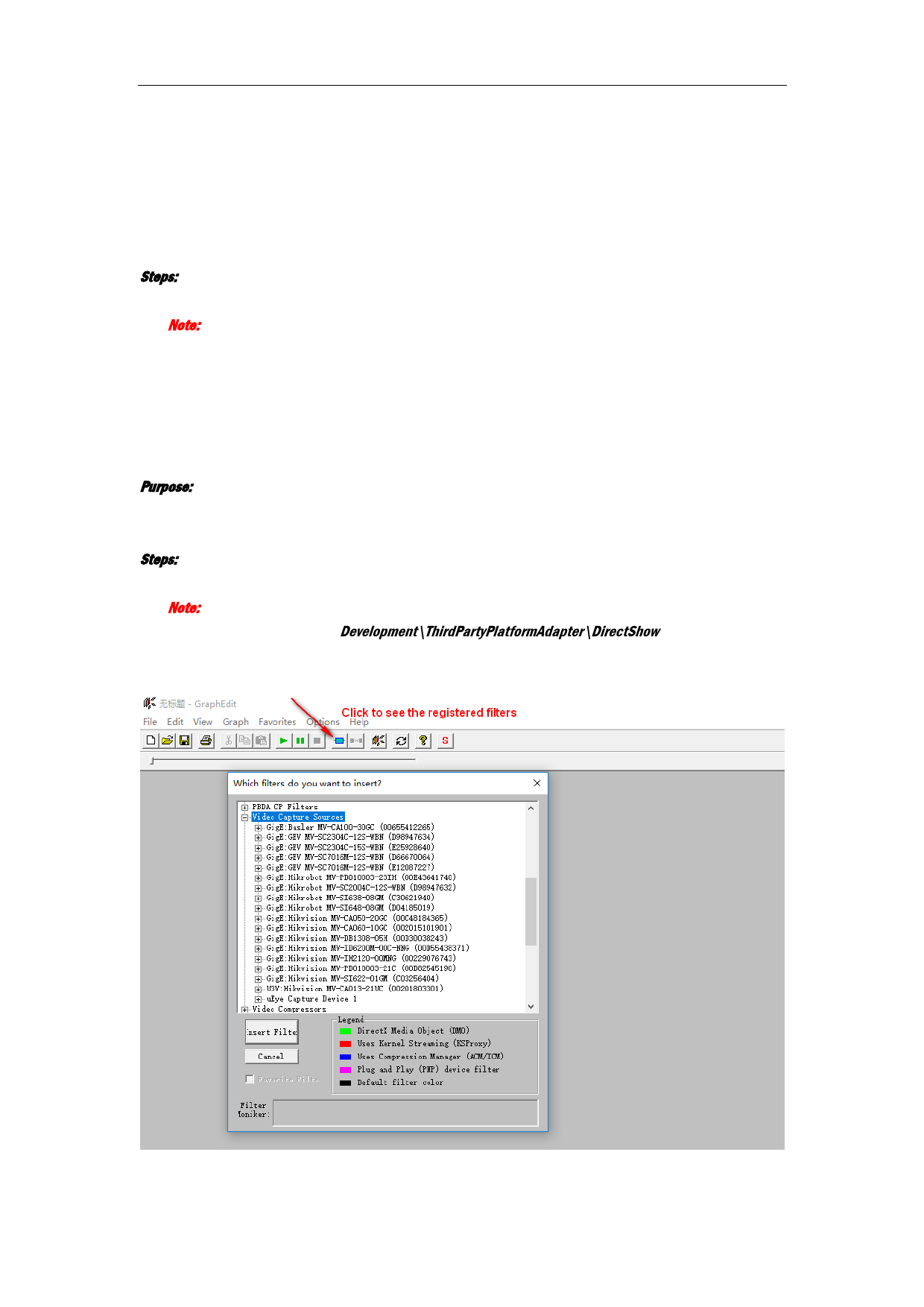
2. (Optional) Run the program graphedt.exe to check if the plugin is registered.
2