User Manual of Machine Vision Camera SDK Demo (XE5)
Chapter 2XE5 Demo
2.1 Interface Overview
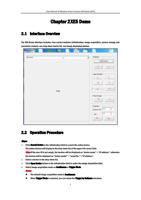
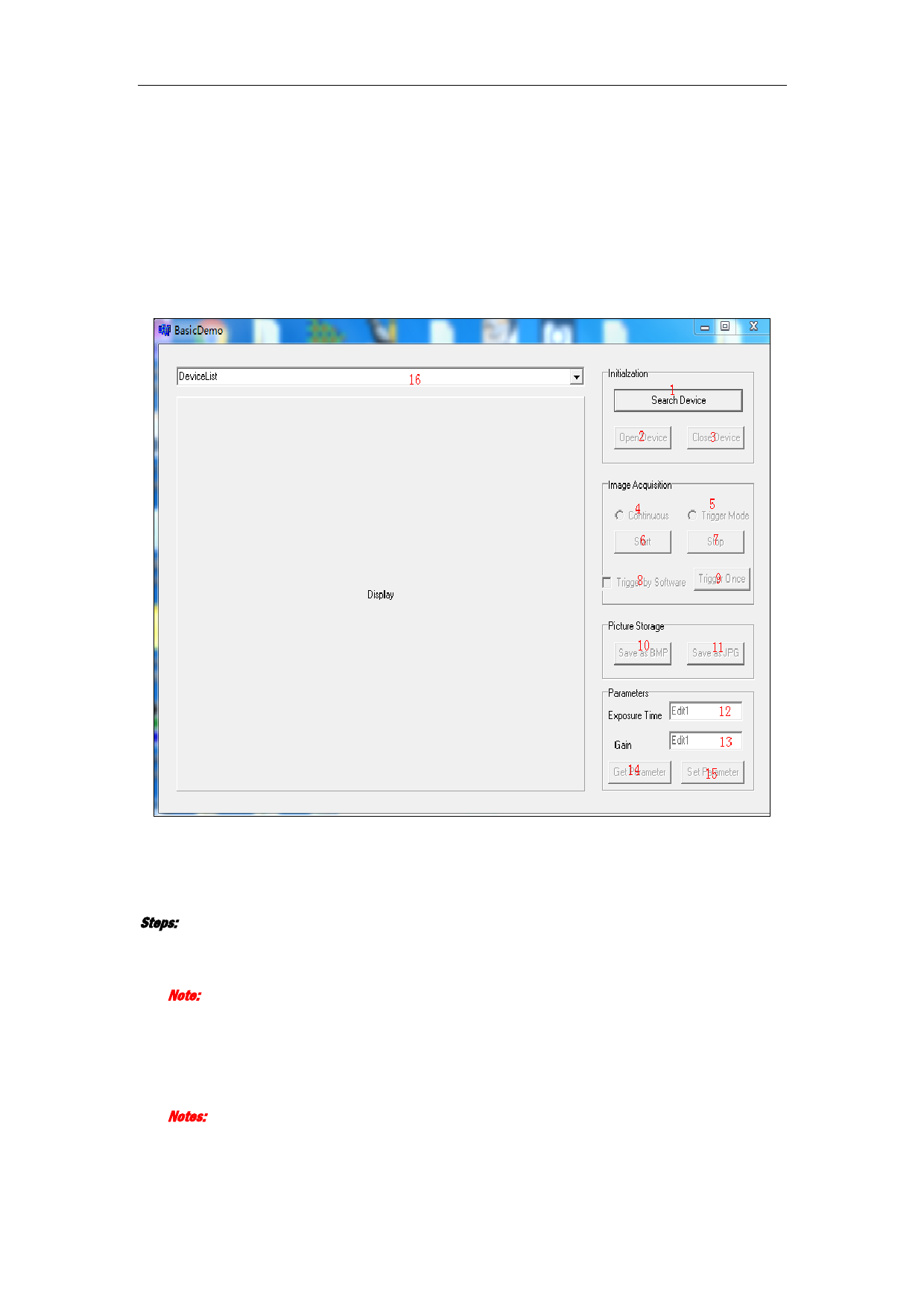
The XE5 Demo interface includes: four control modules (initialization, image acquisition, picture storage and
parameter control), one drop-down device list, one image displaying window.
2.2 Operation Procedure
Steps:
1. Click Search Device in the Initialization field to search the online device.
The online devices will display in the drop-down list of the upper left corner field.
Note: If the user ID is not empty, the devices will be displayed as “device name” + “IP address”; otherwise
the devices will be displayed as “device model” + “serial No.” +”IP address”.
2. Select a device in the drop-down list.
3. Click Open Device button in the Initialization field to active the Image Acquisition field.
4. Select image acquisition mode as Continuous or Trigger Mode.
Notes:
The default image acquisition mode is Continuous.
When Trigger Mode is selected, you can check the Trigger by Software checkbox.
2