User Manual of Machine Vision Camera SDK Demo (BCB)
Chapter 2BCB Demo
2.1 Interface Overview
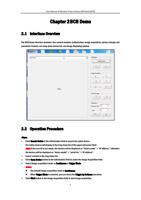
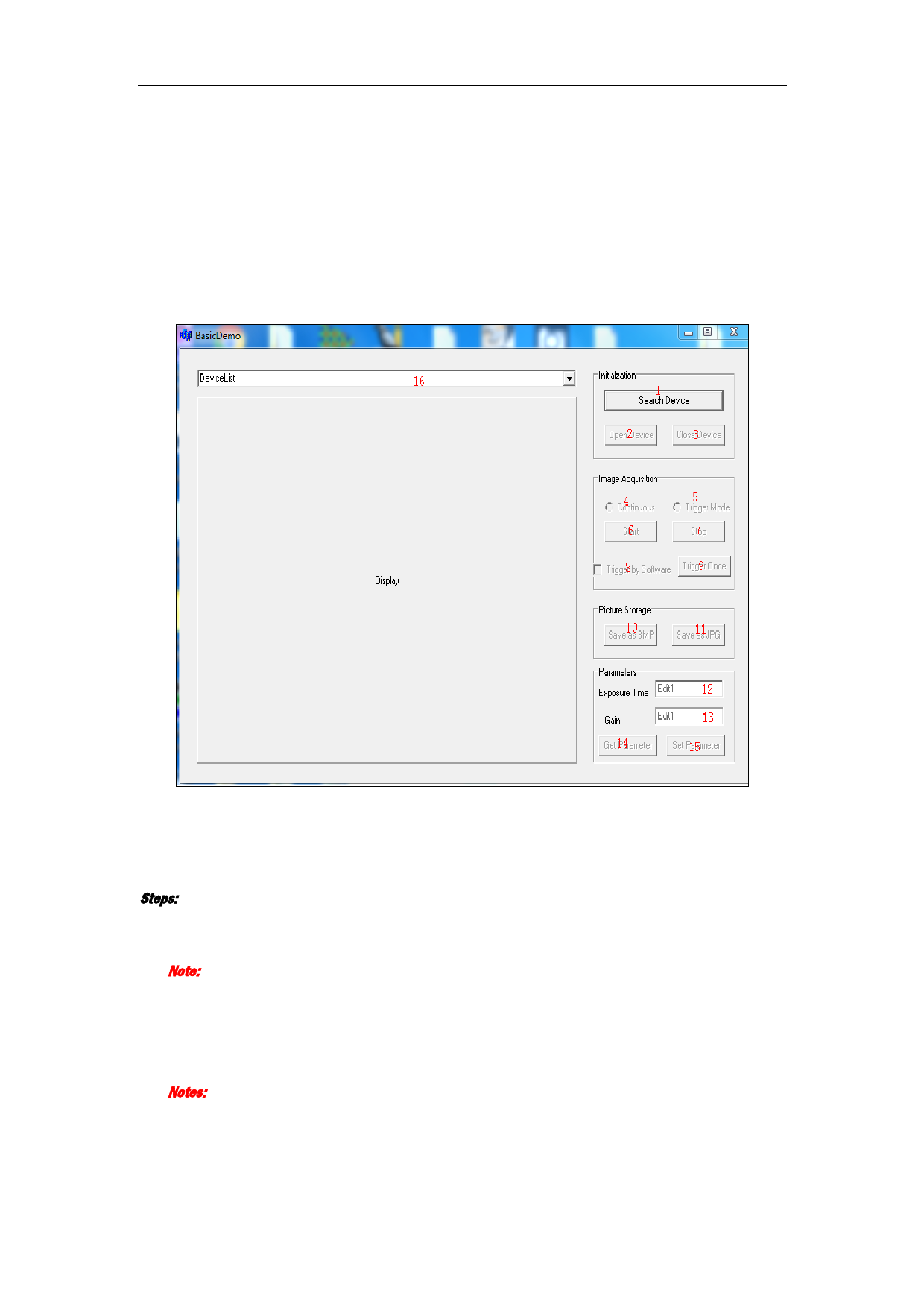
The BCB Demo interface includes: four control modules (initialization, image acquisition, picture storage and
parameter control), one drop-down device list, one image displaying window.
2.2 Operation Procedure
Steps:
1. Click Search Device in the Initialization field to search the online device.
The online devices will display in the drop-down list of the upper left corner field.
Note: If the user ID is not empty, the devices will be displayed as “device name” + “IP address”; otherwise
the devices will be displayed as “device model” + “serial No.” +”IP address”.
2. Select a device in the drop-down list.
3. Click Open Device button in the Initialization field to active the Image Acquisition field.
4. Select image acquisition mode as Continuous or Trigger Mode.
Notes:
The default image acquisition mode is Continuous.
When Trigger Mode is selected, you can check the Trigger by Software checkbox.
5. Click Start button in the Image Acquisition field to start image acquisition.
2