STBLLIB library
UM0516
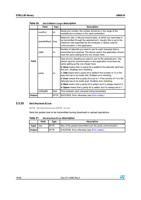
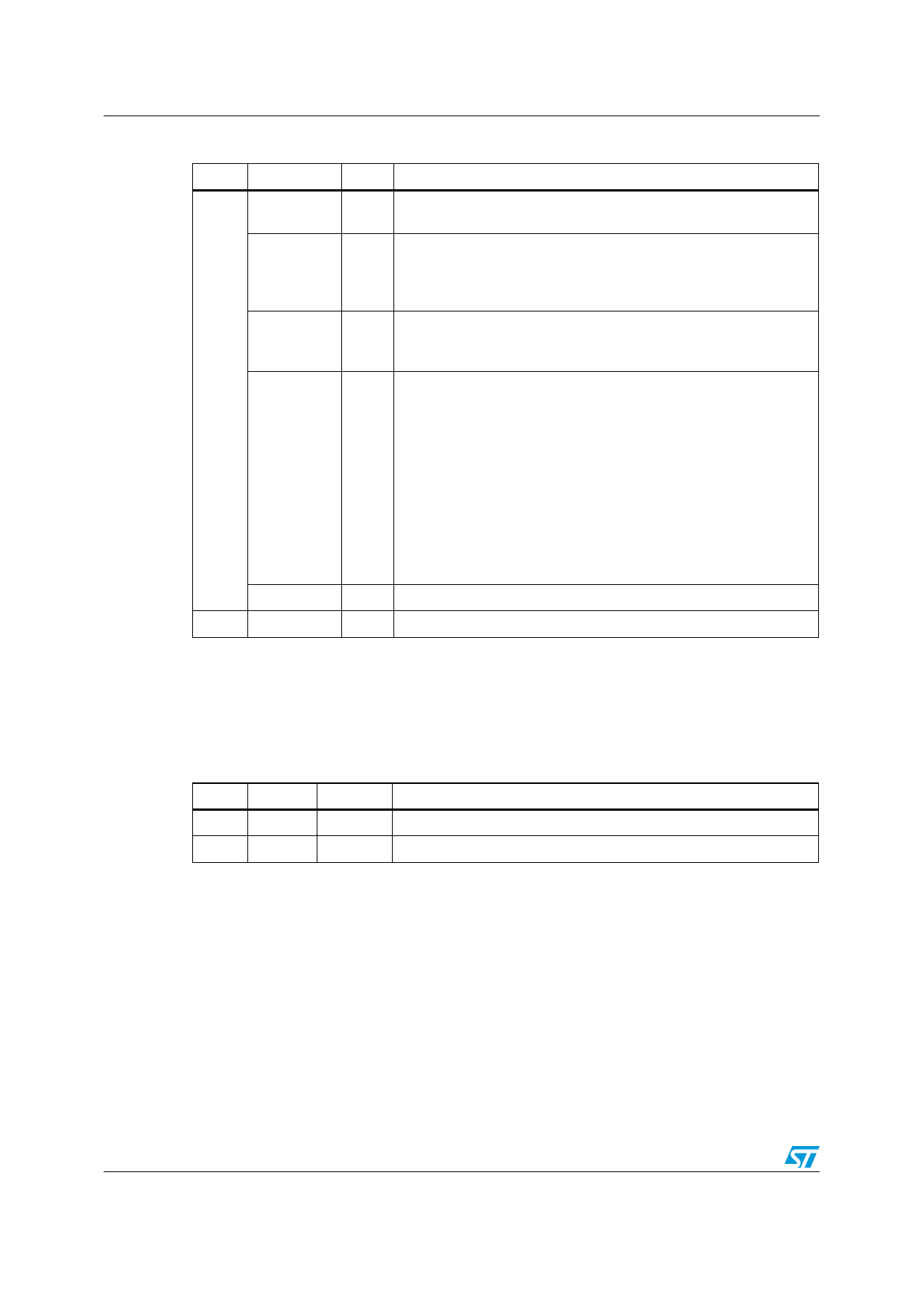
Table 26. SetCOMSettings description
Field
Type
Description
numPort
int
Serial port number, the number should be in the range of the
available port numbers in the used workstation.
speedInBaud long
Maximum rate, in bits per second (bps), at which you want data to
be transmitted through the selected port. Usually, this is set to the
maximum rate supported by the computer or device used for
communication in the application.
nbBit
Number of data bits you want to use for each character that is
int
transmitted and received. The device used in the application should
have the same setting as the one chosen here.
Input
parity
Type of error checking you want to use for the selected port. The
device used for communication in the application must have the
same setting as the one chosen here.
0: None means that no parity bit is added to the data bits sent from
this port. Disables error checking.
int
1: Odd means that a parity bit is added if the number of 1’s in the
data bits has to be made odd. Enables error checking.
2: Even means that a parity bit is set to 1 if the number of 1’s in the
data bits has to be made even. Enables error checking.
3: Mark means that a parity bit is added, but it is always reset to 0.
4: Space means that a parity bit is added, but it is always set to 1.
nbStopBit float Time between each character being transmitted.
Output
BYTE SUCCESS, Error otherwise (see Error codes.).
2.3.25
SetPacketSize
BYTE SetPacketSize(BYTE size)
Sets the packet size to be transmitted during download or upload operations.
Table 27. SetPacketSize description
Field
Type
Description
Input size
BYTE
Size of the packet transmitted over the serial communication.
Output
BYTE
SUCCESS, Error otherwise (see Error codes.).
16/26
Doc ID 14490 Rev 2