LSWorks Software User Manual
it until the operation method is correct and the usage method is correct.
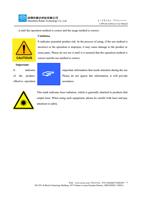
Cautious:
It indicates potential product risk. In the process of using, if the use method is
incorrect or the operation is improper, it may cause damage to the product or
some parts. Please do not use it until it is ensured that the operation method is
correct and the use method is correct.
Important:
It
indicates
of the product.
effective operation
important information that needs attention during the use
Please do not ignore this information, it will provide
assistance.
This mark indicates laser radiation, which is generally attached to products that
output laser. When using such equipment, please be careful with laser and pay
attention to safety.
Web:www.rd-acs.com | TEL/FAX:0755-26066687/26982287 4
202-203, B-Block,Technology Building, 1057 Nanhai Avenue,Nanshan District,, SHENZHEN, CHINA