Chapter 8 Diagnosis Function
forward limit
back limit
left limit
right limit
emergency stop
arcing feedback
Position detect
Plasma Collision
definition of input
Port
02
15
14
01
03
04
05
06
Type
Move up input
Move down input
Move left input
Move right input
Acceleration input
Deacceleration input
Torch up input
Torch down input
Port
09
10
07
08
16
17
18
19
Type
Port- press PgUp/PgDn Type-press Enter
F1 Input F2 Output F3 Axes F4 Motor F5 Option
F8 Save
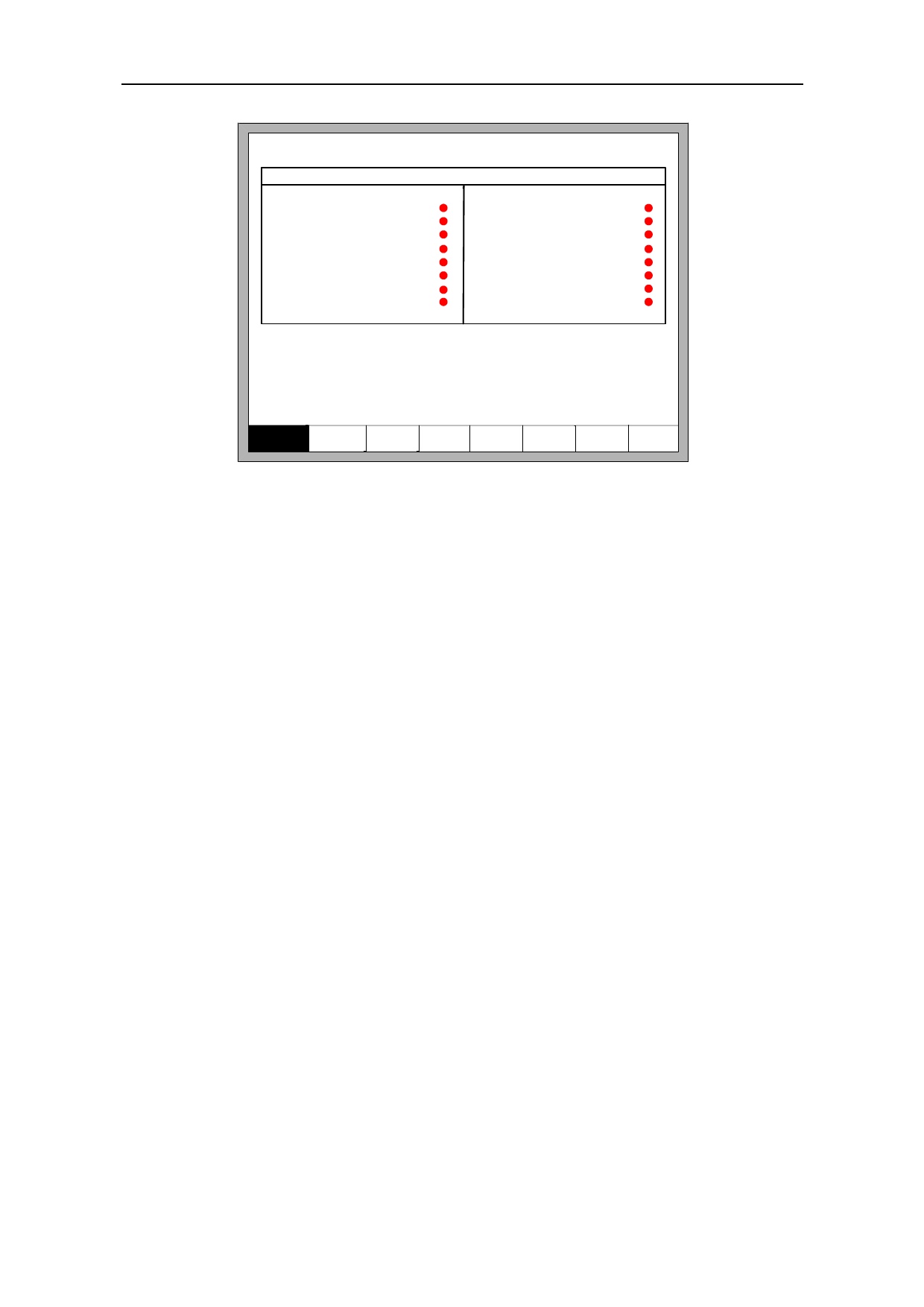
Fig 8.8 input definition
In the interface press 【↑】、【↓】、【←】、【→】, move the cursor to the position that
needs changing, press 【PgUp】or【PgDown】to change the number of the Input, press
【Enter】to change the type of the input.
If the external type of input is normally closed, please set the IO type to ●, if the
type is normally open, please set the IO type to ●.
8.7.3 Output Definition
The controller could change the IO definition, including changing the order of IO
number, the type of IO( normally open or closed) according to the user’s need. In the
system custom definition interface, press 【F3】 to enter the definition interface, press
【F1】to enter the input definition interface. As shown in fig 8.9.
68