Chapter 5 Manual Function
2) In the process of incising, when power is off, the system will regard the power-off
point as the breakpoint and remember it.
When you need to process after the breakpoint, after the system powers on, don’t
move the torch, press 【F7】 in the main interface to enter the manual function interface,
then press【F7】 to recover the breakpoint. After recovering it, if the torch hadn’t been
moved and is on the position when the power is off, press 【START】 keyboard, the
system will process directly.
After the breakpoint is recovered, if the position is off from the original one, you
could move the torch to the original point manually, or realizing it through choosing rows
or numbers. (Please refer to chapter 4.6 Row and number Selection). The method is:
choose stopping incising, move the torch to the original point manually, choose the nearest
row through choosing the row selection (or number selection), press 【START】, then the
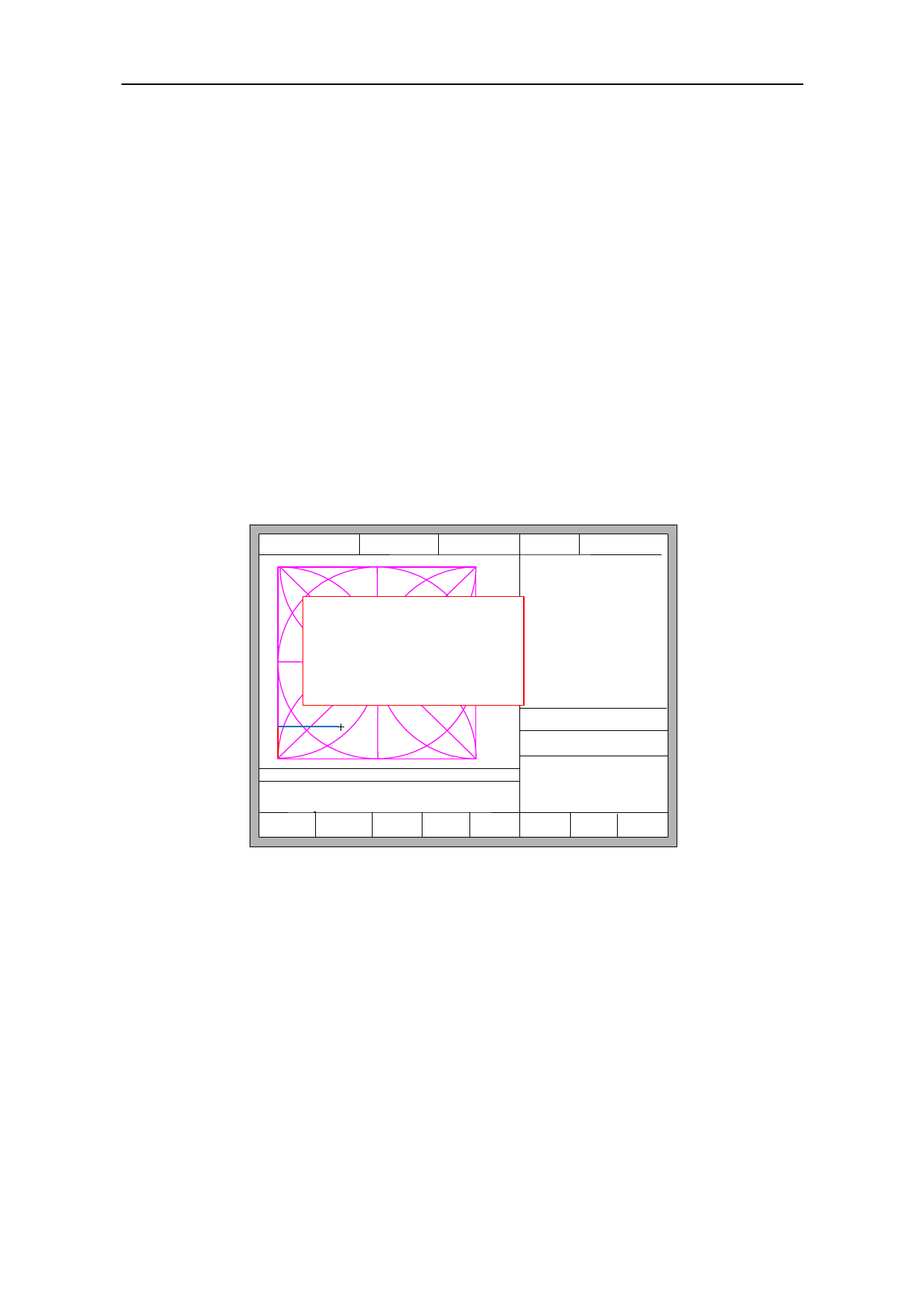
system will show in Fig 5.3:
FLSK F2200T
Version 3.3.71.1
Speed:
00000
File:
SHAPE_43.TXT
Status:
Pause
Current Line/Hole:
00000/00000
[G]Cutting return
[X]Offset cutting
[Y]only return
●Ignition
s
●LowHeat
s
●HighPreheat
s
●Pierce1
s
●Pierce2
s
●Pierce3
s
●TorchUp
s
●TorchDn
s
●THC En
●Blow
s
CutSpeed 【X】1000.00 Kerf【N】1.20
ManualSpeed【Y】3000.00 Angle 0.00
Manual 【F】 StepMov
StepDis【G】 5.00 Flame Cu 【M】
+X:500.00 -X:0.00 +Y:500.00 -Y:0.00
7:G01 X500.00 Y0
8: G01 X0 Y-500.00
X:+000000.0
Y:+000000.0
F1 Back
F4
F6
F7
F8
F2 Demo F3 GoBack
F5 Speedup
Speeddown
Preheatdown Preheatup JumptoPierce
Fig 5.3 Restore breakpoint
Press 【G】, the system will start incising from point which is after moving, and after
returning to the position before the torch moves, it will process according to the
normal curve.
Press 【X】, regarding the position after moving as the position before moving, and
then process.
Press 【Y】, move from the position after moving to the position before moving, then
wait for the next operation.
42