3.11 Frame
Chapter 3 Cutting Function
FLSK F2200T
Version 3.3.71.1
Speed:
00000
File:
SHAPE_43.TXT
Status:
Stop
Current Line/Hole:
00000/00000
●Ignition
s
●LowHeat
s
●HighPreheat
s
●Pierce1
s
●Pierce2
s
●Pierce3
s
●TorchUp
s
●TorchDn
s
●THC En
●Blow
s
CutSpeed 【X】1000.00 Kerf【N】1.20
ManualSpeed【Y】3000.00 Angle 0.00
Manual 【F】 keepMov
StepDis【G】 5.00 Flame Cu 【M】
+X:500.00 -X:0.00 +Y:500.00
1:(TEST PATTERN)
2:G92
-Y:0.00
X:+000000.0
Y:+000000.0
F1 Back
F2 Demo
F4
F5
F6
F7
F8
F3 Frame
Speeddown Speedup PreheatDown PreheatUp JumptoPierce
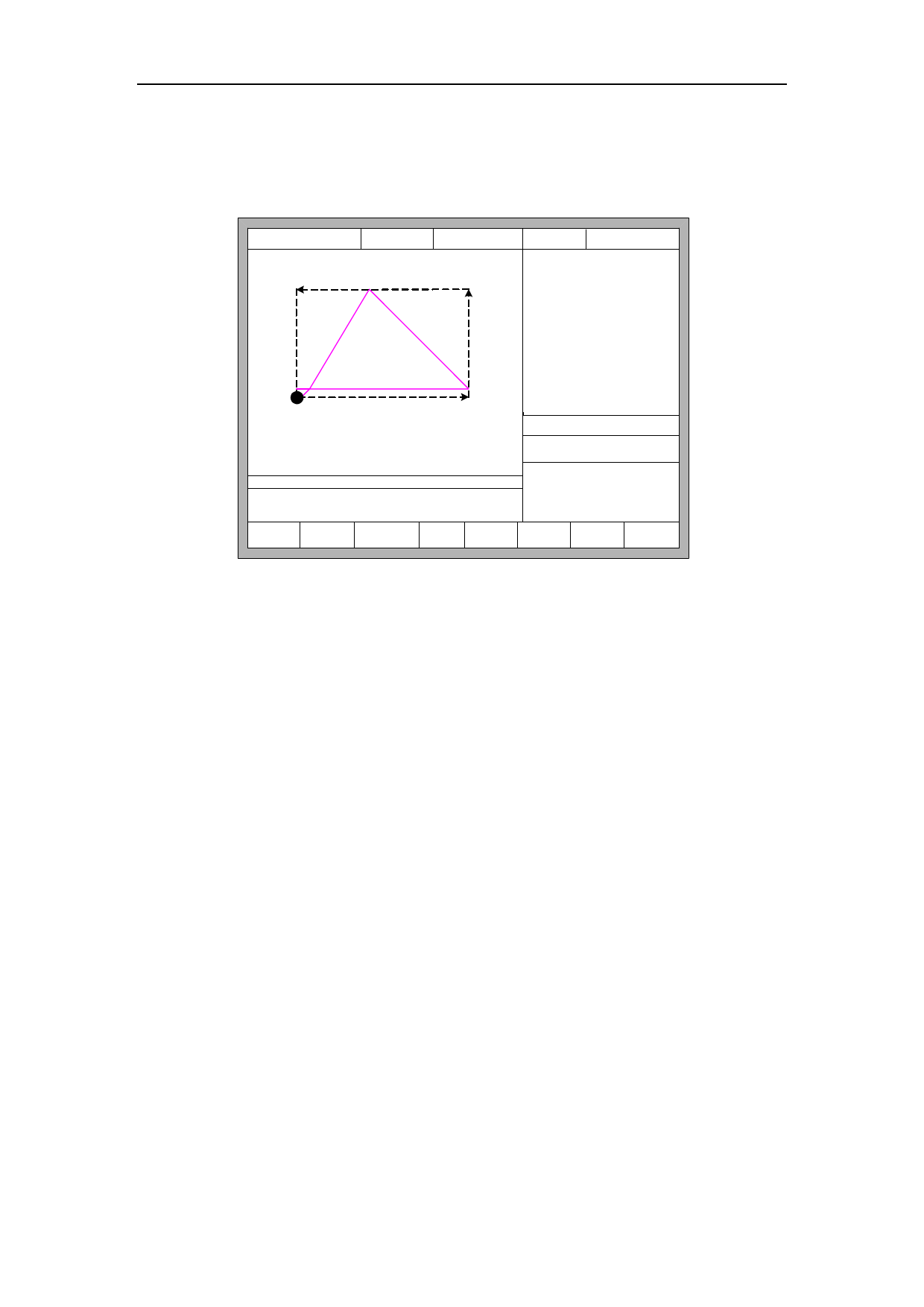
Fig. 3.10 Walk along frame
Before the beginning of the process, if press 【Space】the system will enter into
the interface of auto processing, at this time, 【F3】is the function of walking along
frame,after press 【F3】, system will walk against the clock along the virtual frame
as the figure 3.10 shows, the beginning point is the lower left corner. In the end of the
walking, the system will prompt “Quit frame test? ENTER: Back, ESC: No Back”. At
this time, press【Enter】, the system will automatically back to the process of
beginning point of parts. If press 【ESC】, the system will stop at current point.
In the process of walking along frame, press STOP, the system suspends
operation, and press START, the system resumes walking. Press 【F3】again, the
system returns to the starting point.
3.12 Arc THC Instruction (typical of the "T" in F2000 series
CNC system)
3.12.1 Wiring Instruction
F2100T System links with location proximity switch, arcing signal of plasma
power and arc interface of partial pressure circuit board by 7 cores socket, links with
lifting motor (limiting switch) by 5 cores socket. Pins interpretation schematic shows
24