- You are here:
- AM.CO.ZABuythisCNC Utilities Homepage
- LabelMark-Laser-Marking-Machine
- LabelMark Marking Software Manual, v2.6.pdf
- Page 143 of 154
EzCad2UNI User’s Manual
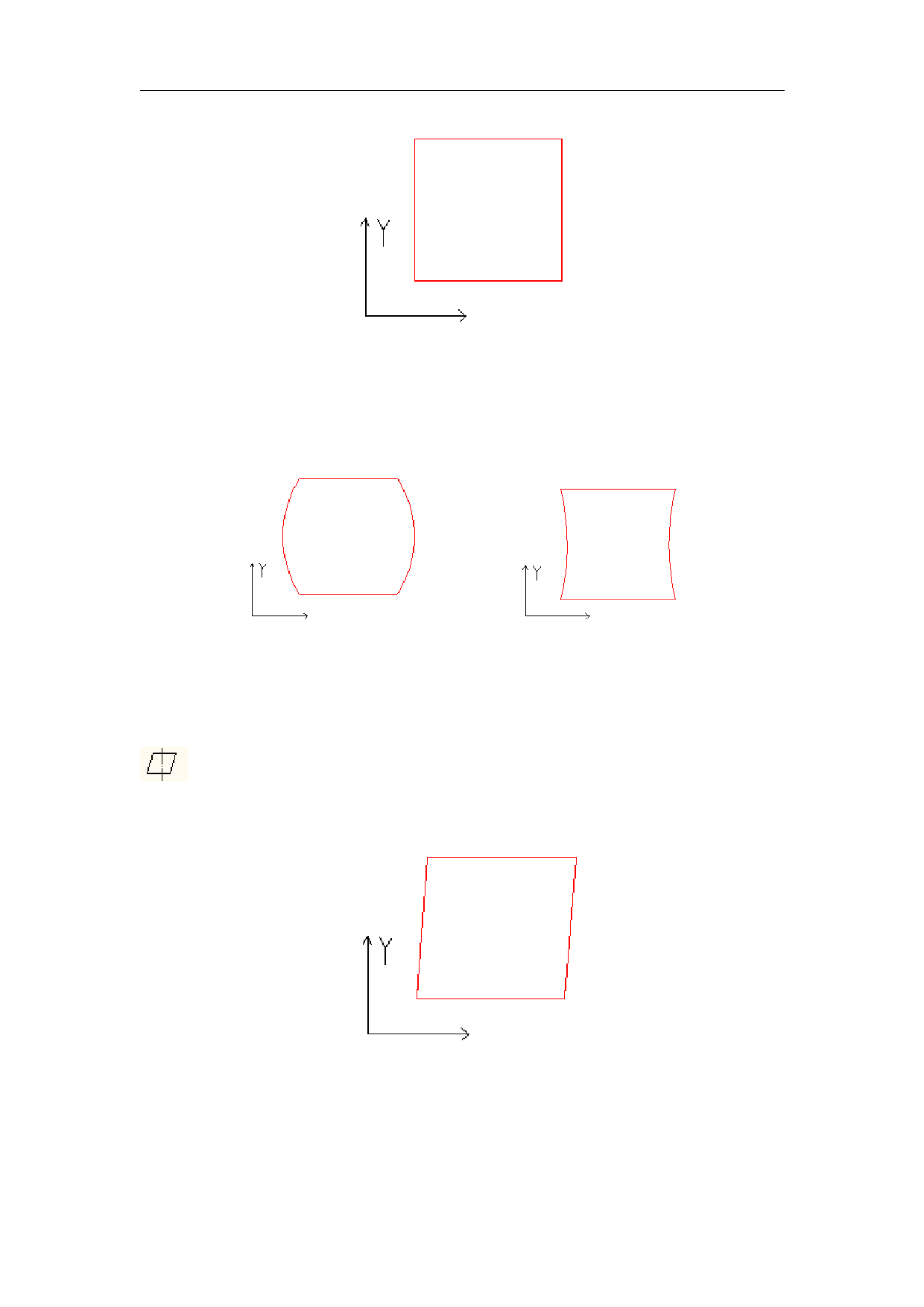
Figure 10-19 Your Design
Figure 10-20 Marked Work
Figure 10-21 Marked Work
This item indicates the parallelogram correction coefficient, and the default is 1.0 (range
from 0.875 – 1.125). If your design is as Figure 10-19 shows but the marked work is Figure 10-22,
you will have to adjust this parameter to correct it.
Figure 10-22 Marked Work
Scale: It refers to the flex percentage, and the default is 100%. This parameter will be
adjusted when the trim size marked is different from the setting size. If the trim size is smaller
than the designed one, users can raise this parameter; if the trim size is bigger than the designed
137
All rights reserved