- You are here:
- AM.CO.ZABuythisCNC Utilities Homepage
- LabelMark-Laser-Marking-Machine
- LabelMark 5 Software Manual, v3.6.pdf
- Page 136 of 217
5.3. Plastic Modeling
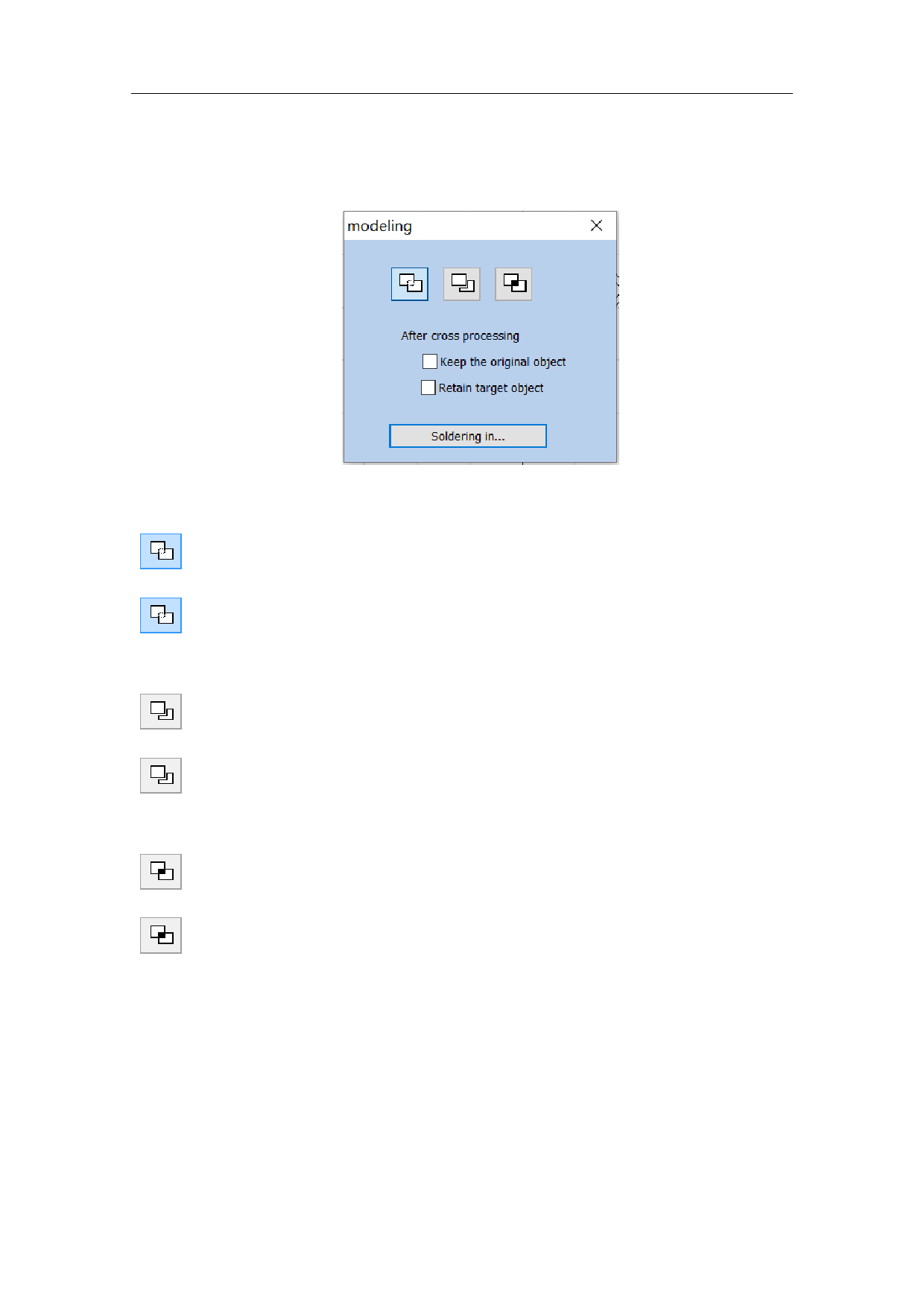
When selected, a parameter setting box will appear as show in Fig. 5-10.
Fig. 5-10 Plastic Modeling
: Joint two close intersect areas into one.
: Indicates welding, you can combine two intersecting closed areas into a
closed area.
: Shear a close intersect area contained in another.
: Indicates trim, you can trim an enclosed area from a drawing contained
in another area.
: Pick up the intersect part of two close intersect areas.
:Indicates cross,You can combine two intersecting closed areas into a
closed area, and only the intersecting parts are retained.
130 / 217