- You are here:
- AM.CO.ZABuythisCNC Utilities Homepage
- LabelMark-Laser-Marking-Machine
- LabelMark 5 Software Manual, v3.6.pdf
- Page 115 of 217
4.12. Draw Input Port
To input the control object of input port, the user can select the “Input Port”
command in the Draw Menu or click the icon .
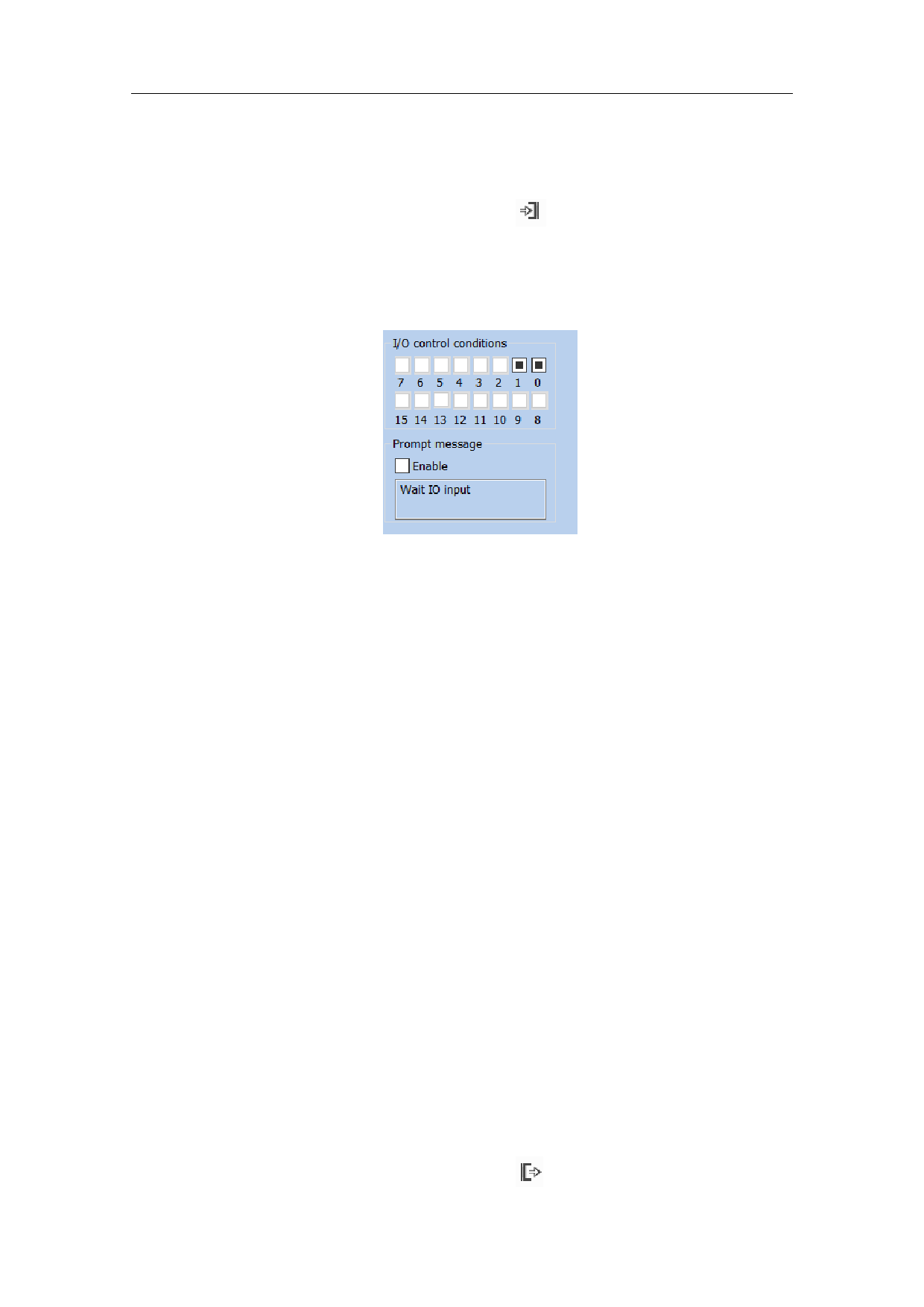
After the “Input Port” is selected, the input port properties as shown in Fig. 4-42
will be displayed in the Properties Toolbar.
4-42
Figure 4-42 Input Port Parameters
I/O I/O Control Condition
Prompting Message
Enable
I/O Control Condition: When the marking comes to the current input port, the
system will read the input port and compare the read value with the I/O Control
Condition; if the two equal, the system will proceed to the following ports, and
otherwise it will read the port again.
Prompt Message: It is given by the system when it reads the port repeatedly
and waits for the matching between the port value and the I/O Control
Condition.
4.13. Draw Output Port
To draw the control object of output port, the user can select the "Output Port”
command in the Draw Menu or click the icon
.
109 / 217