User Manual of Machine Vision Camera SDK Demo (LabVIEW)
Chapter 2Samples
Samples is a basic sample program, which includes general API calling procedure during SDK programming
process.
For users who have no SDK programming experience of machine vision camera, we recommend the users to
refer to the Samples, as it contains multiple required examples.
2.1 Interface Overview
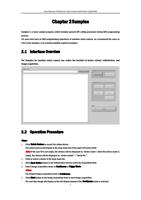
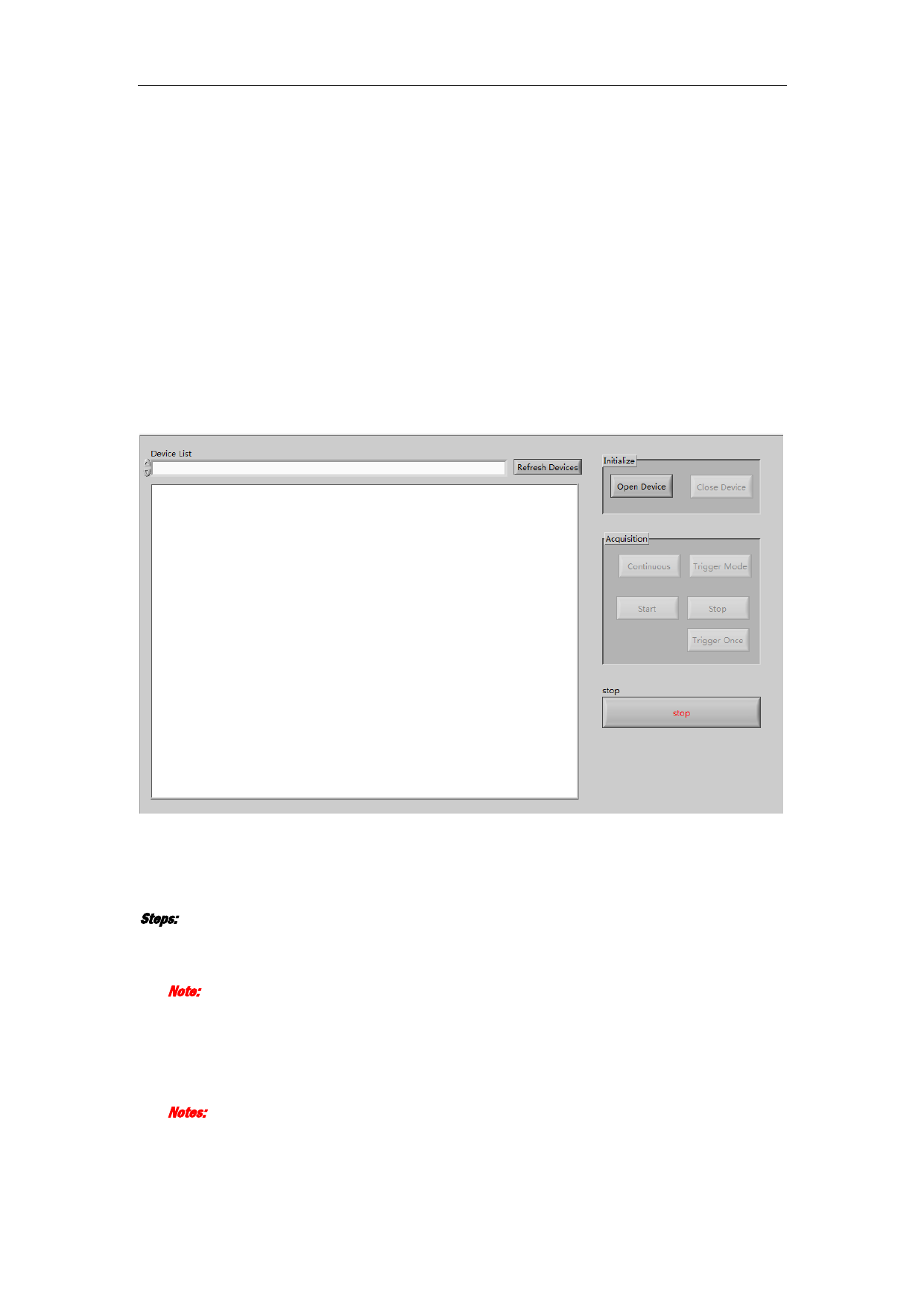
The Samples for machine vision camera can realize the function of device refresh, initialization, and
image acquisition.
2.2 Operation Procedure
Steps:
1. Click Refrsh Devices to search the online device.
The online devices will display in the drop-down list of the upper left corner field.
Note: If the user ID is not empty, the devices will be displayed as “device name”; when the device name is
empty, the devices will be displayed as “device model” + ”Serial No.”.
2. Click to select a device in the drop-down list.
3. Click Open Device button in the Initialization field to active the Acquisition field.
4. Select image acquisition mode as Continuous or Trigger Mode.
Notes:
The default image acquisition mode is Continuous.
5. Click Start button in the Image Acquisition field to start image acquisition.
The real-time image will display on the left display window if the Continuous mode is selected.
2